


New article
Recently updated
Adding an organisation

Who is this article for?
Administrators responsible for organisation management.
Administrator role is required.
This article explains how to create a new organisation within the platform.
1. Adding an organisation
To add an organisation:
- Open the Administration menu.
Select the Data Manager.

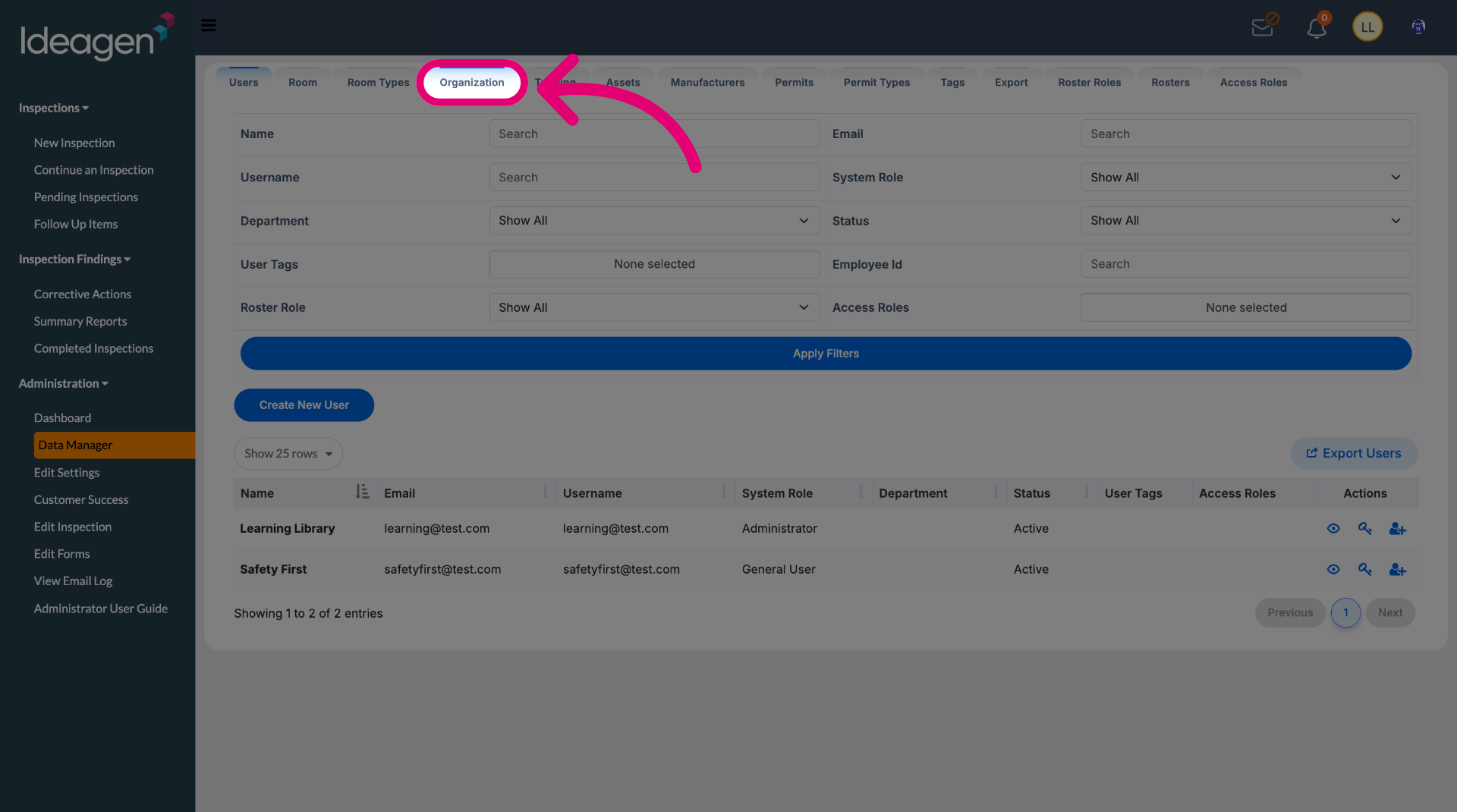
Switch to the Organization tab.
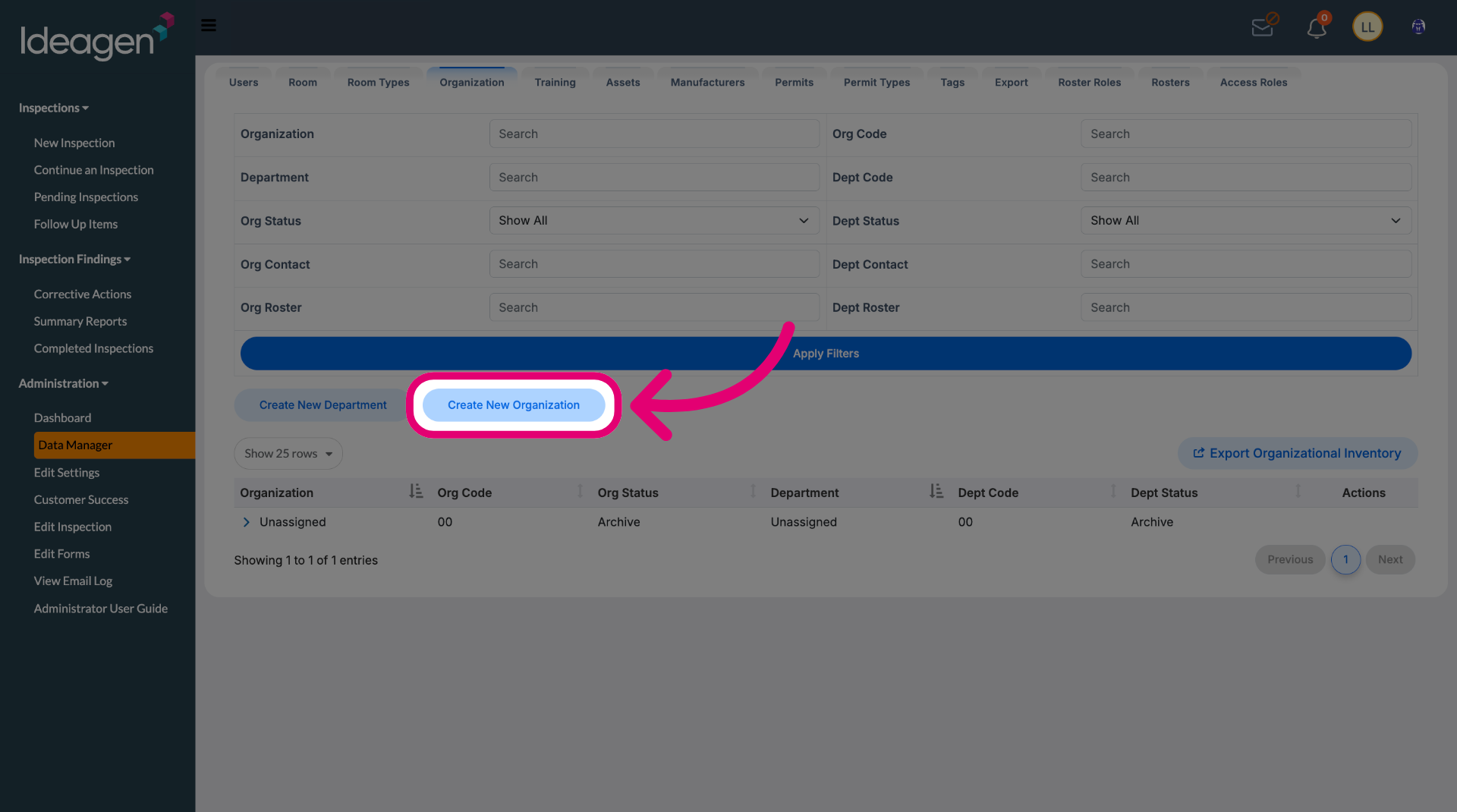
Click Create New Organization.
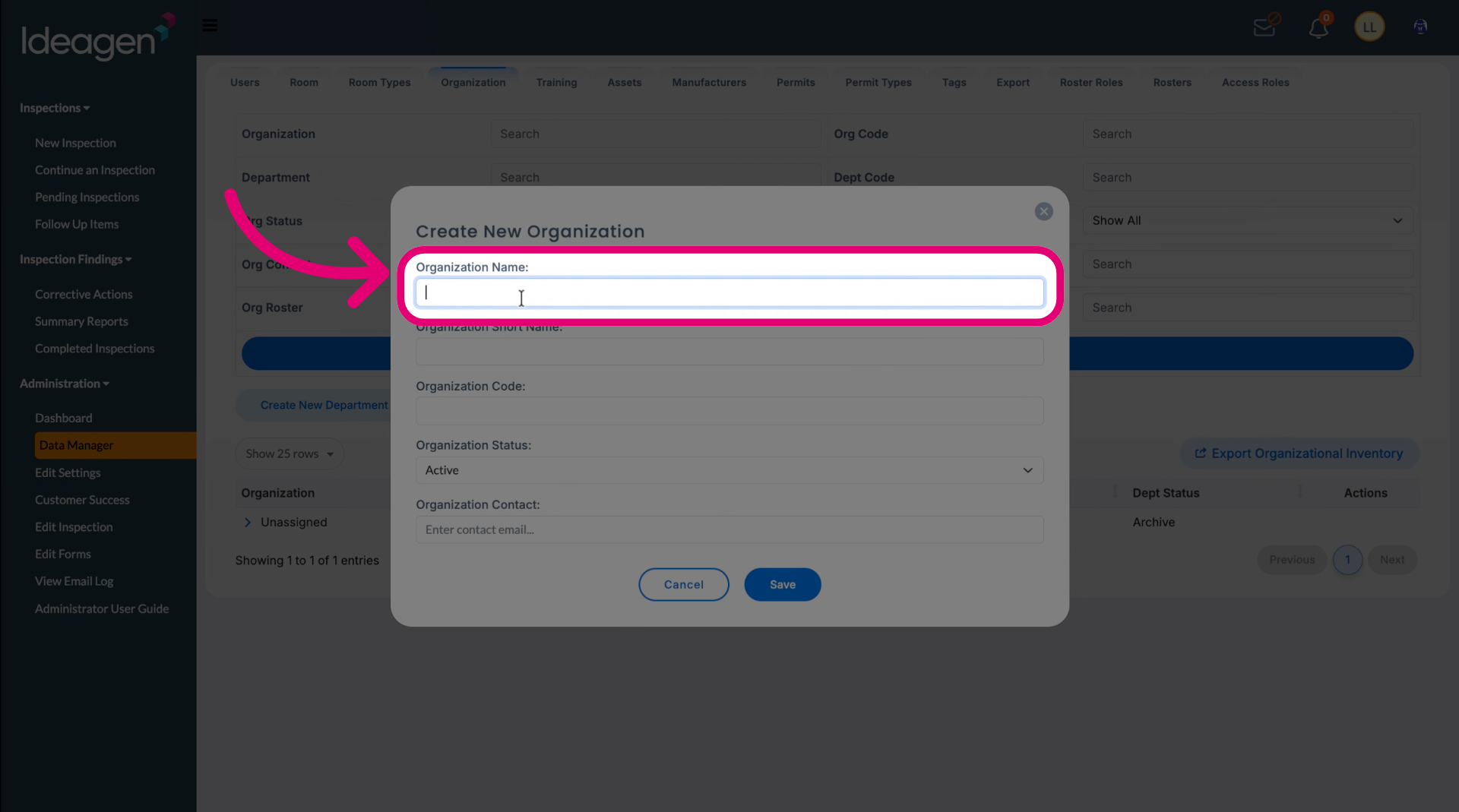
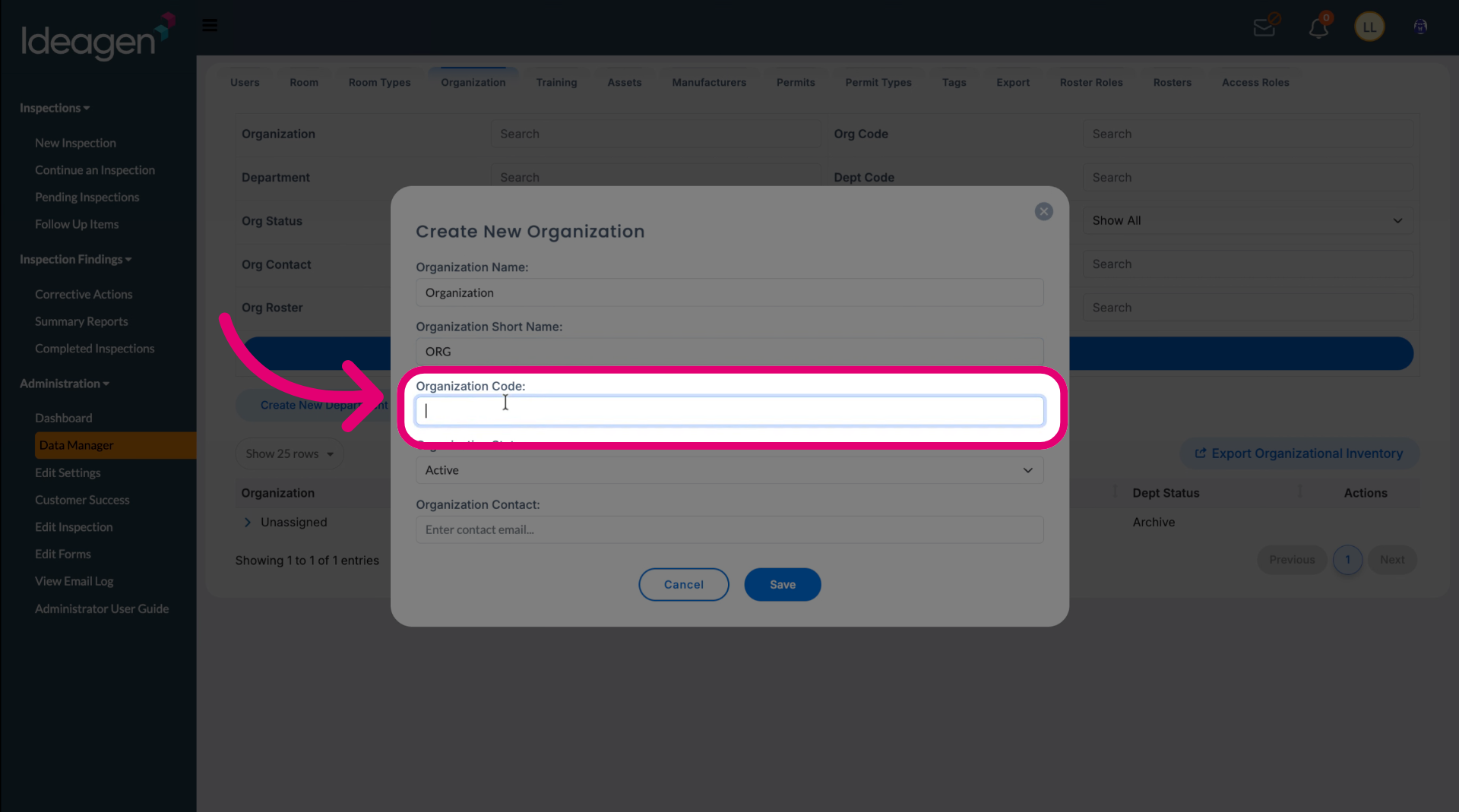
Enter an Organization Name.
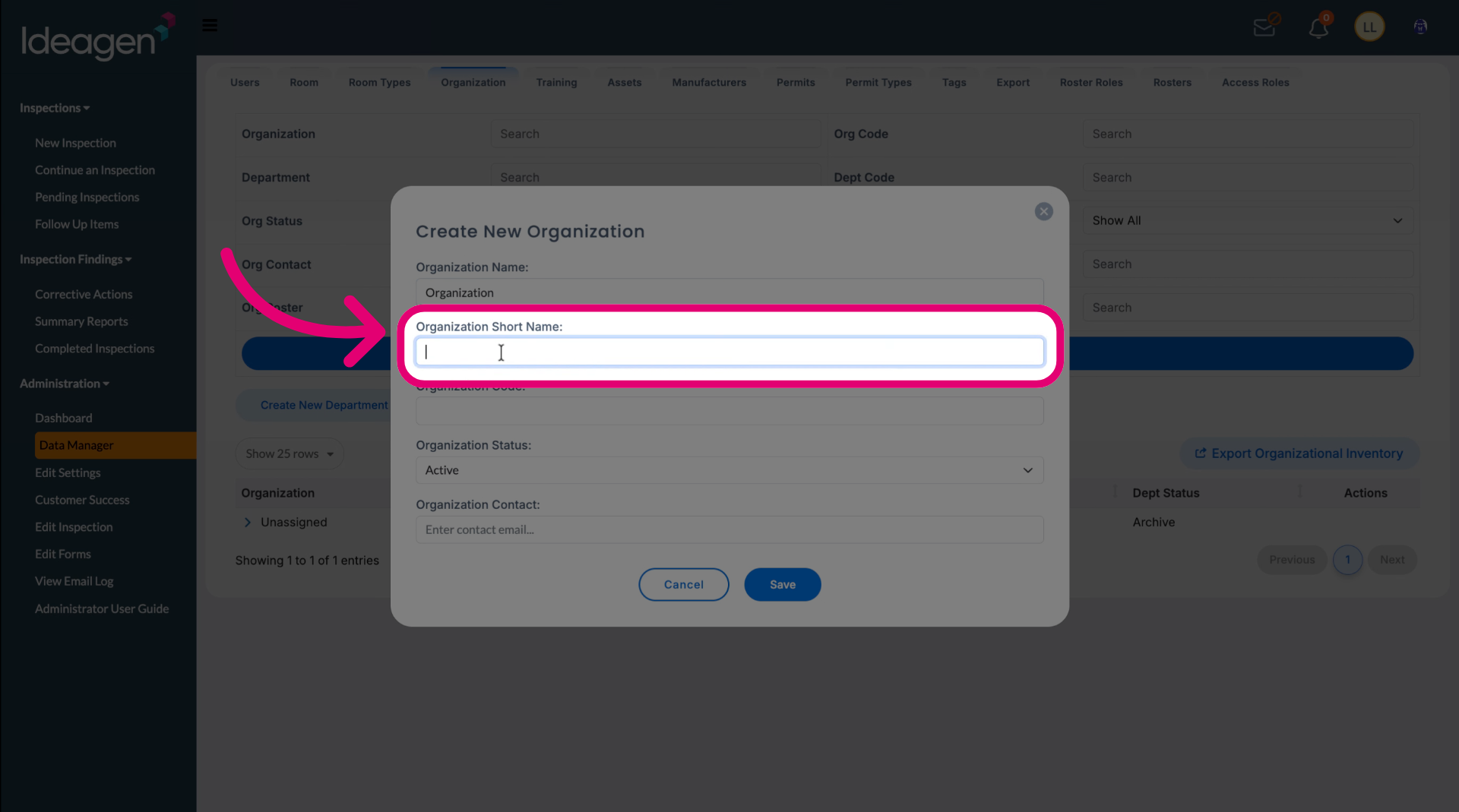
Enter an Organization Short Name for ease of reference.
Enter a unique Organization Code.
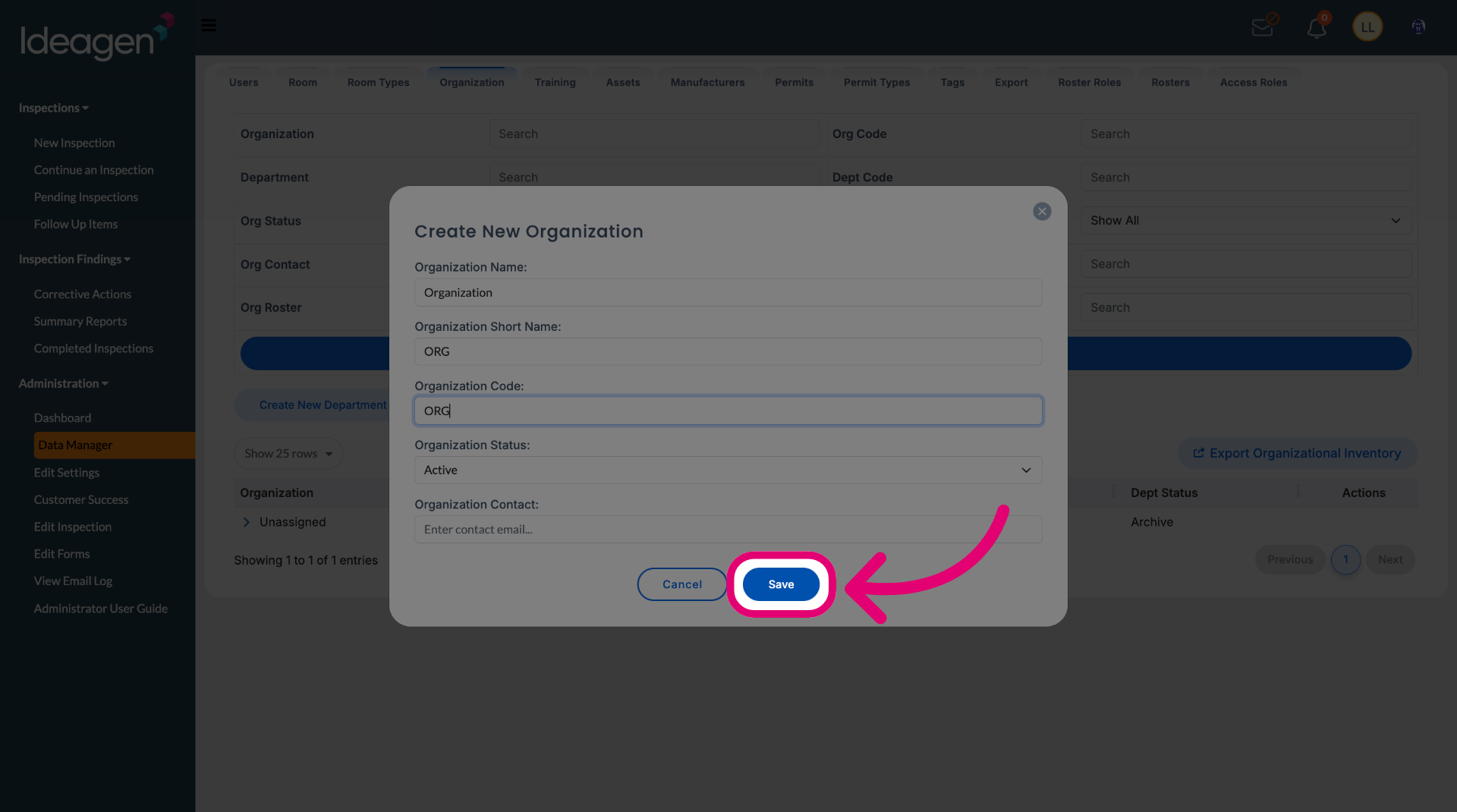
Click Save.
Only one organisation record is typically needed unless your site spans multiple business entities or campuses.