


New article
Recently updated
Creating a group type

Who is this article for?
Administrators who want to learn to create a group type.
Administrator role is required.
This article explains how to create a new group type.
You will learn the steps to configure and save a group type to suit your organizational needs.
1. Creating a group type
Navigate to Data Manager.
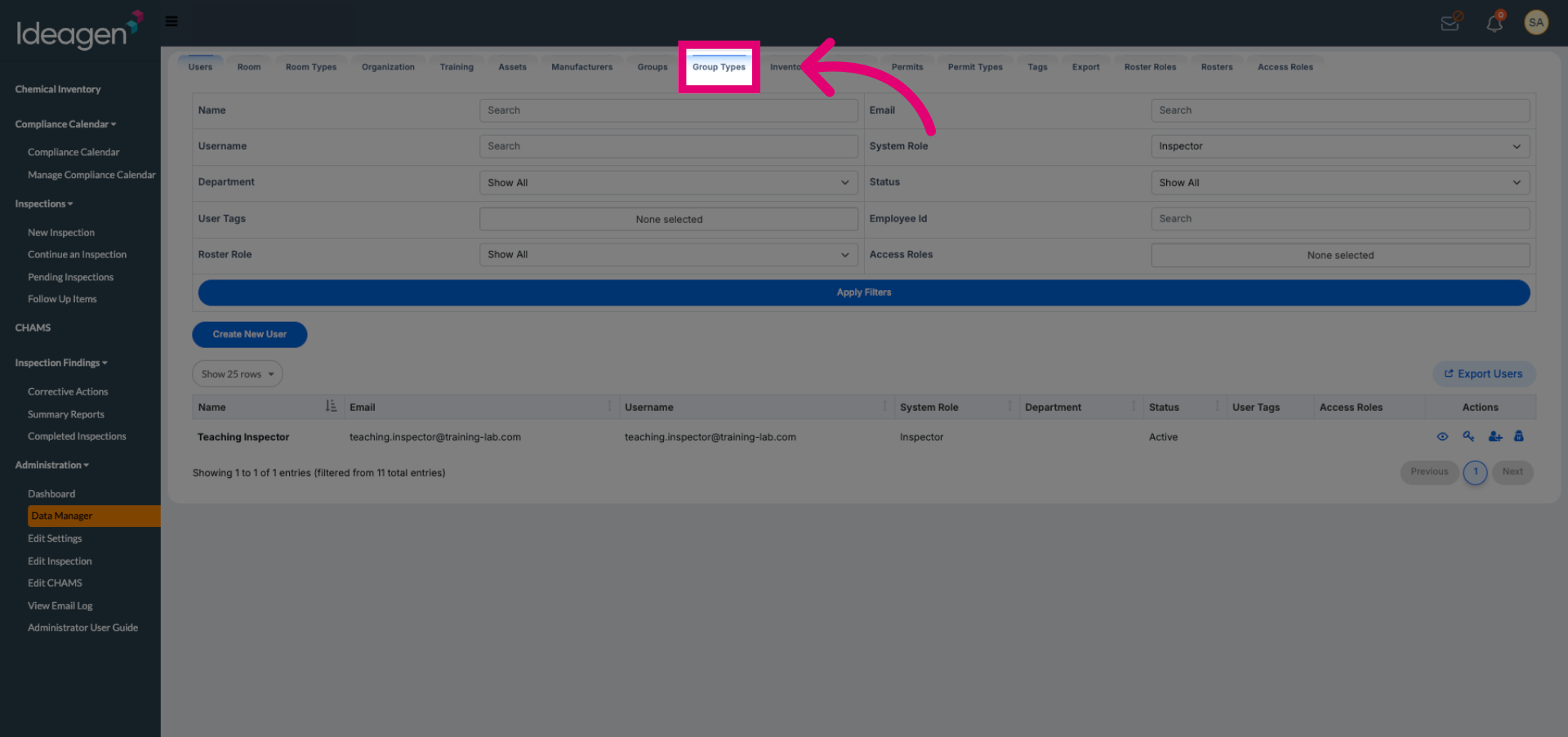
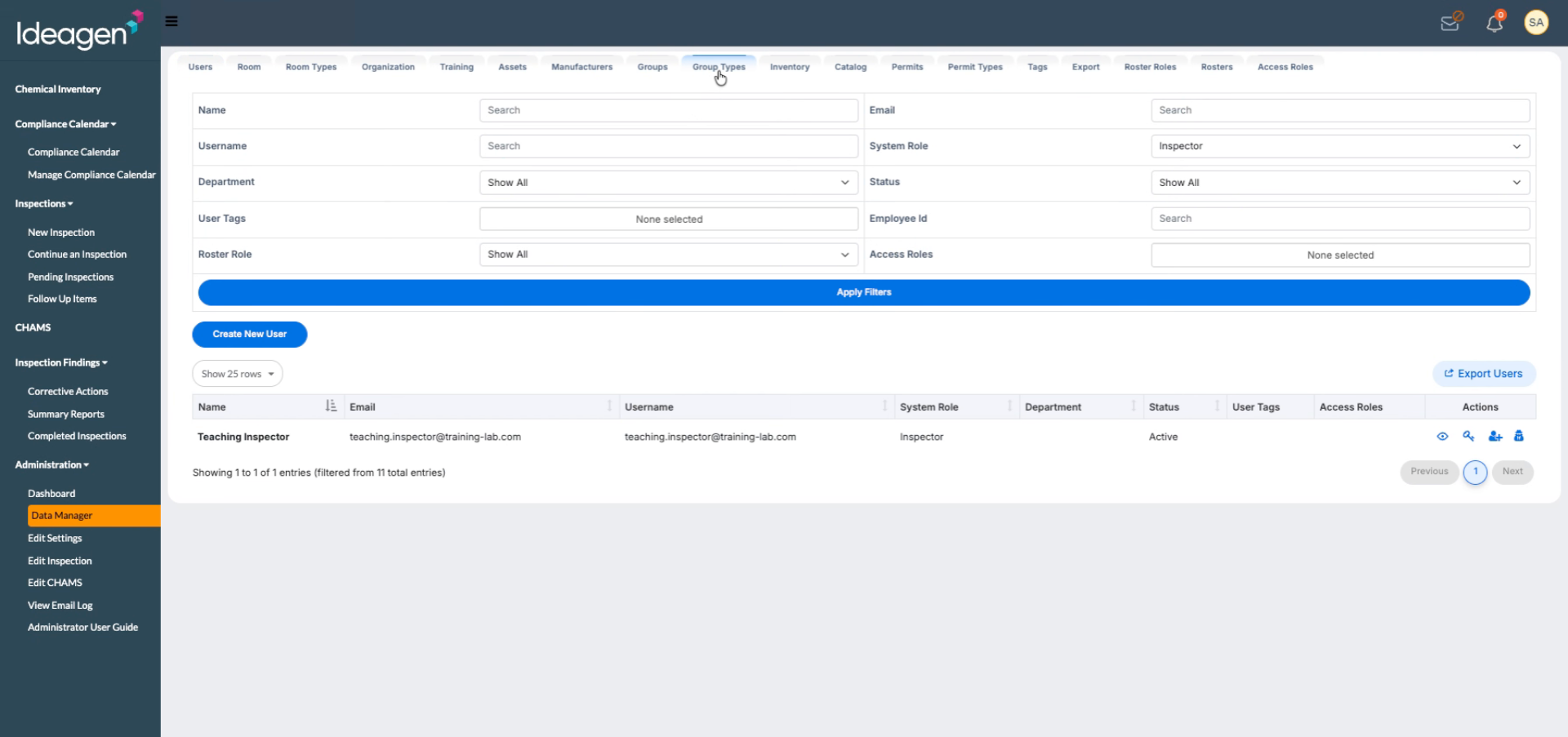
Click Group Types to view and manage existing group types within the Data Manager.
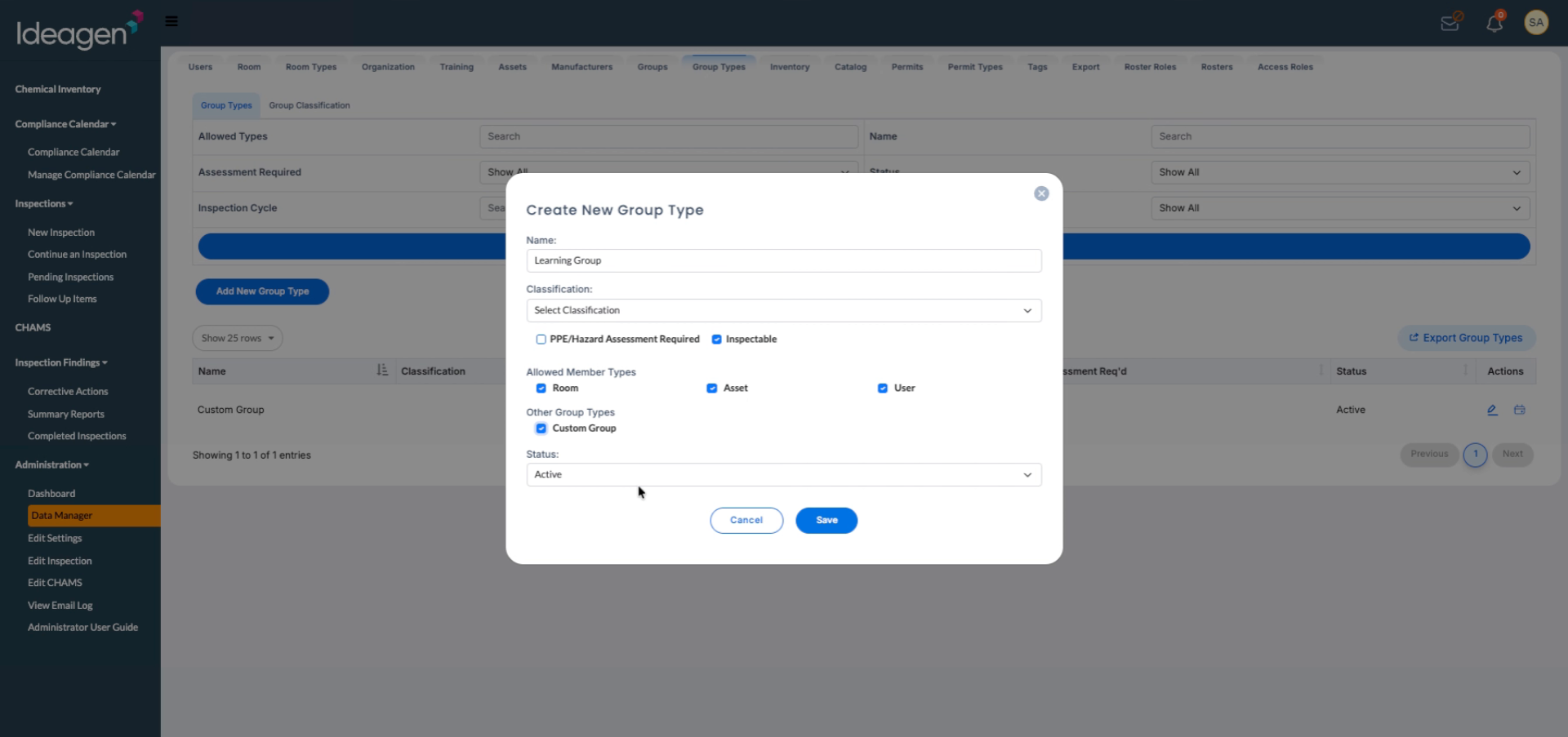
Select Add New Group Type and enter the name for your new group type.
Configure the group type settings by selecting whether it's a PPE hazard assessment, whether it's inspectable, the allowed member types (user, assets, rooms, or all three), and whether to allow other groups within your group.
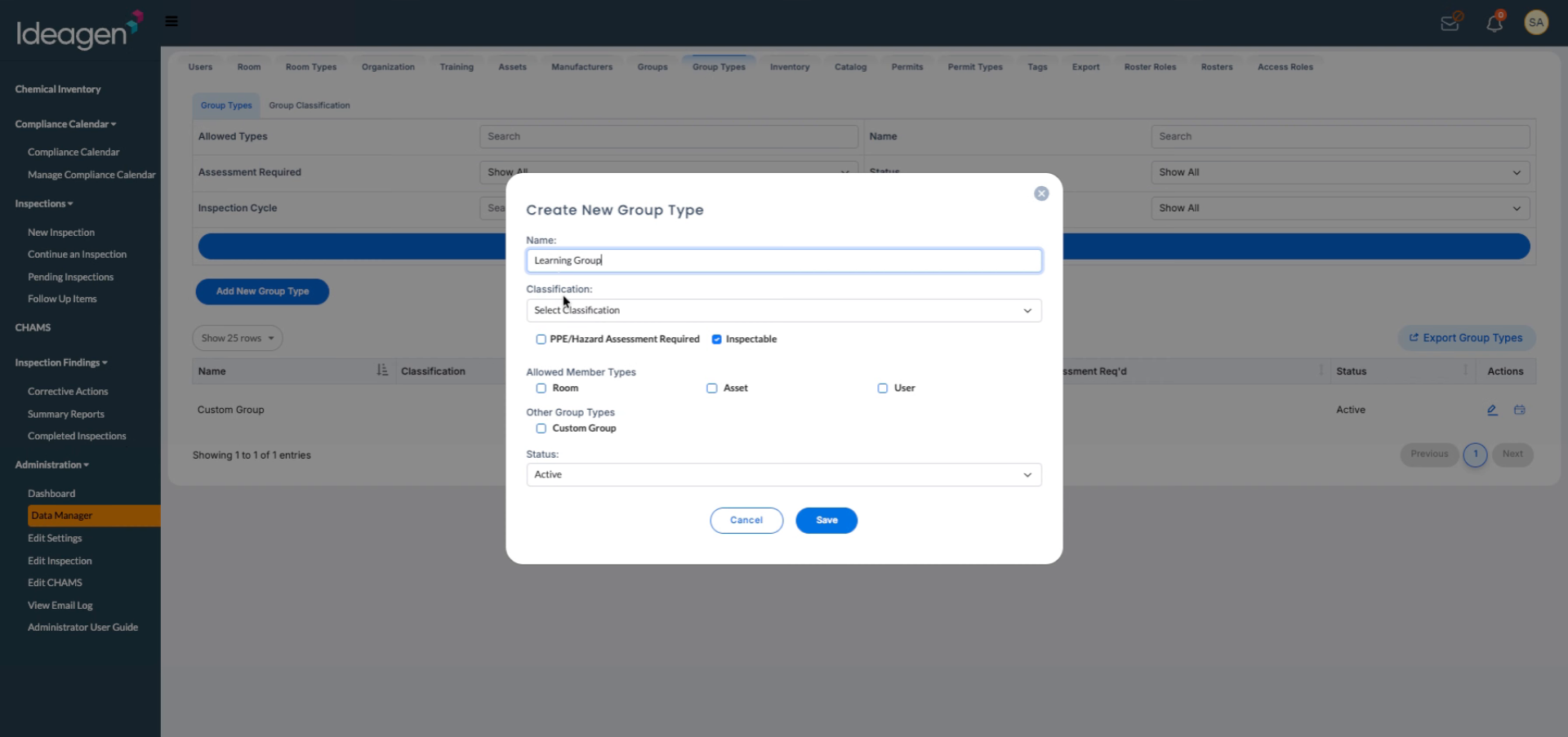
Set your status and then save to complete the creation of your new group type.
Example
Academia - Research group that includes PIs, rooms, and lab members.
Manufacturing - Maintenance Team group that includes technicians and assigned equipment.
Construction - Work Crew group that includes workers, assets (scaffolds), and zones.