


New article
Recently updated
Submitting a permit amendment

Who is this article for?
Users looking to propose a change to a permit.
General User role is required.
This article will show you how to submit an amendment to permit details, including locations, expiration dates, radioisotopes, and order limits.
1. Submitting an amendment
To submit an amendment:
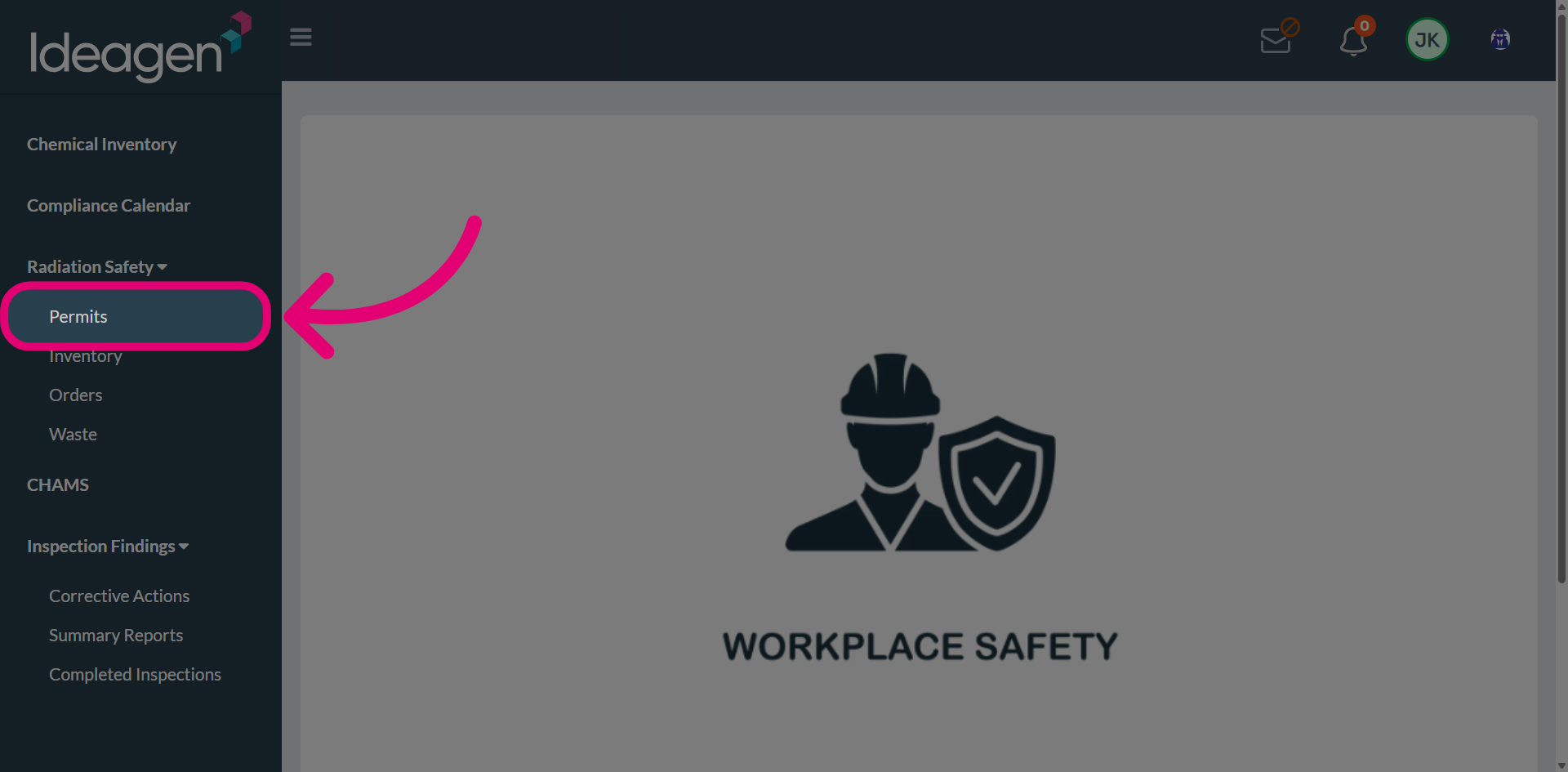
- Open the Radiation Safety menu.
Select the Permits.
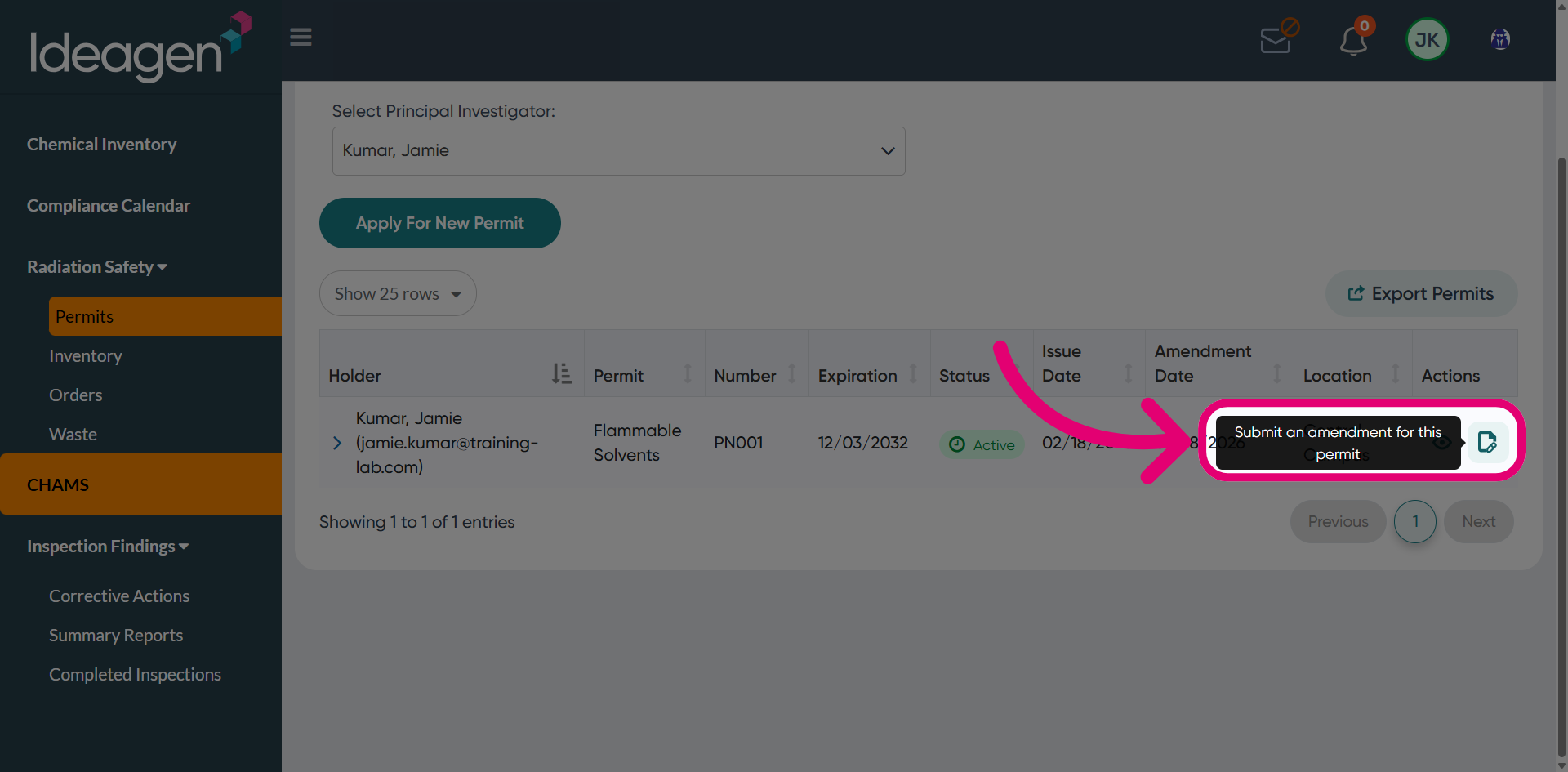
Click Submit an amendment for this permit.
Add an amendment Reason.
This helps the reviewer decide whether to approve or reject the request.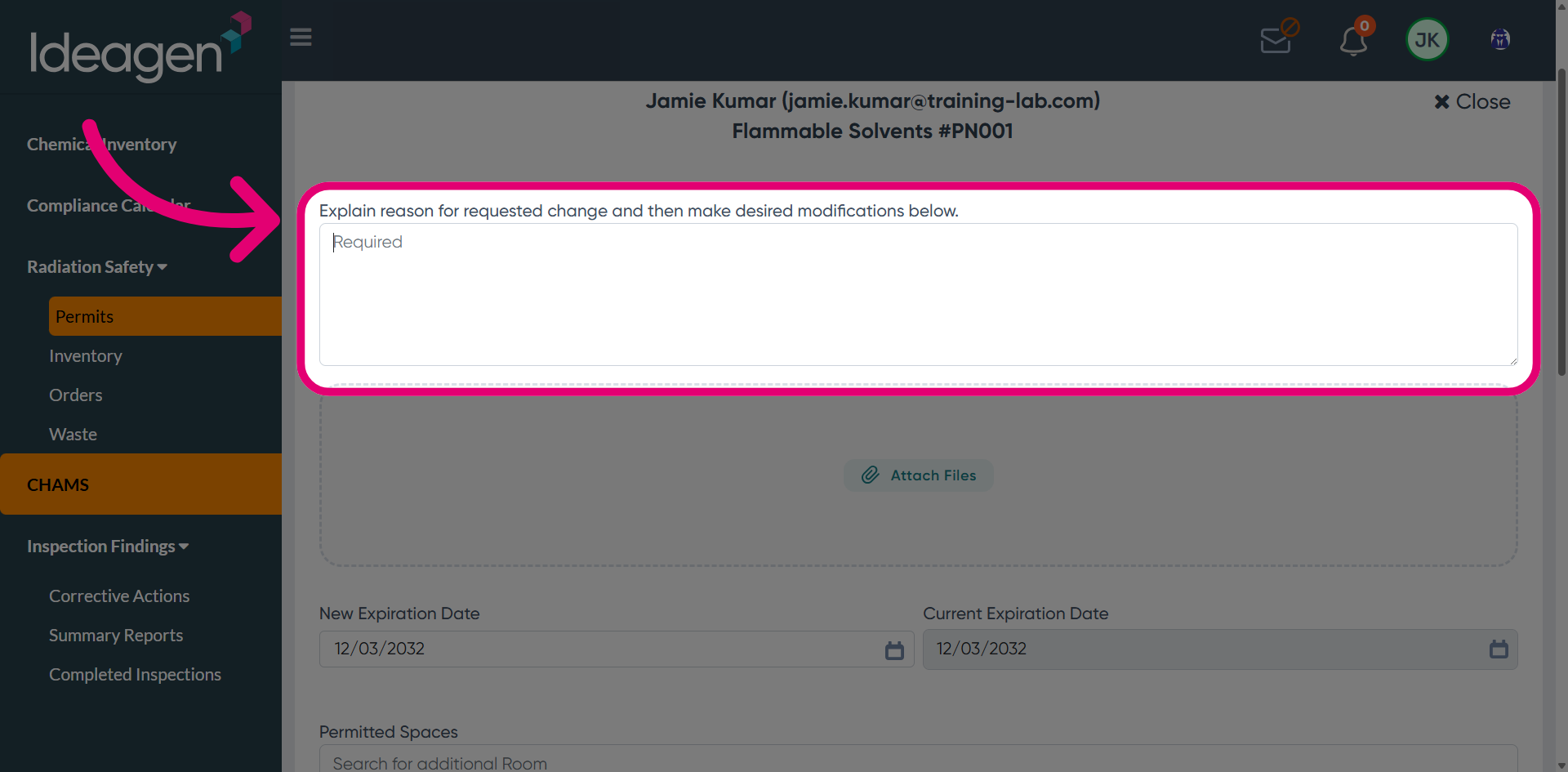
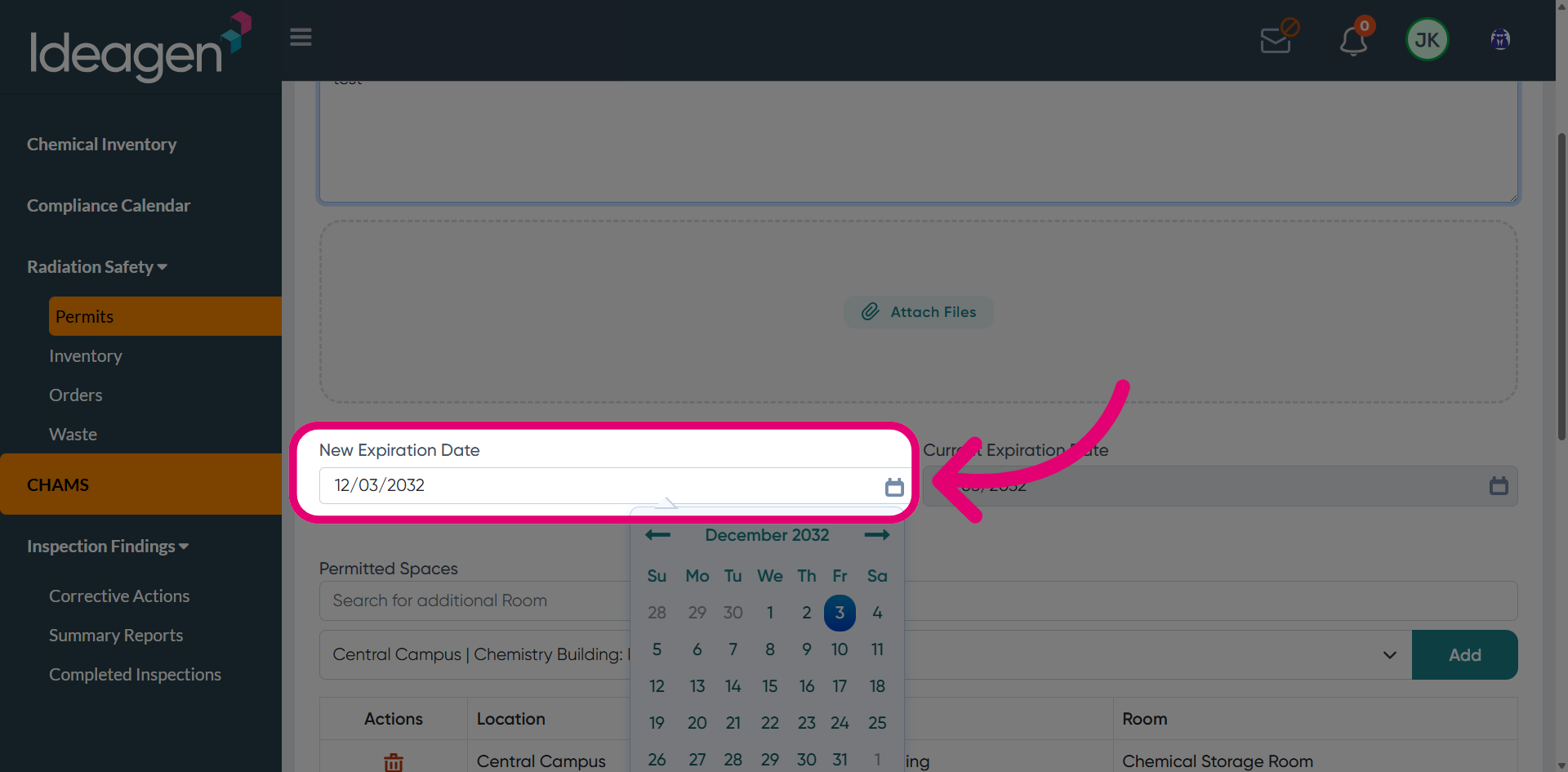
Set a New Expiration Date for the revised permit.
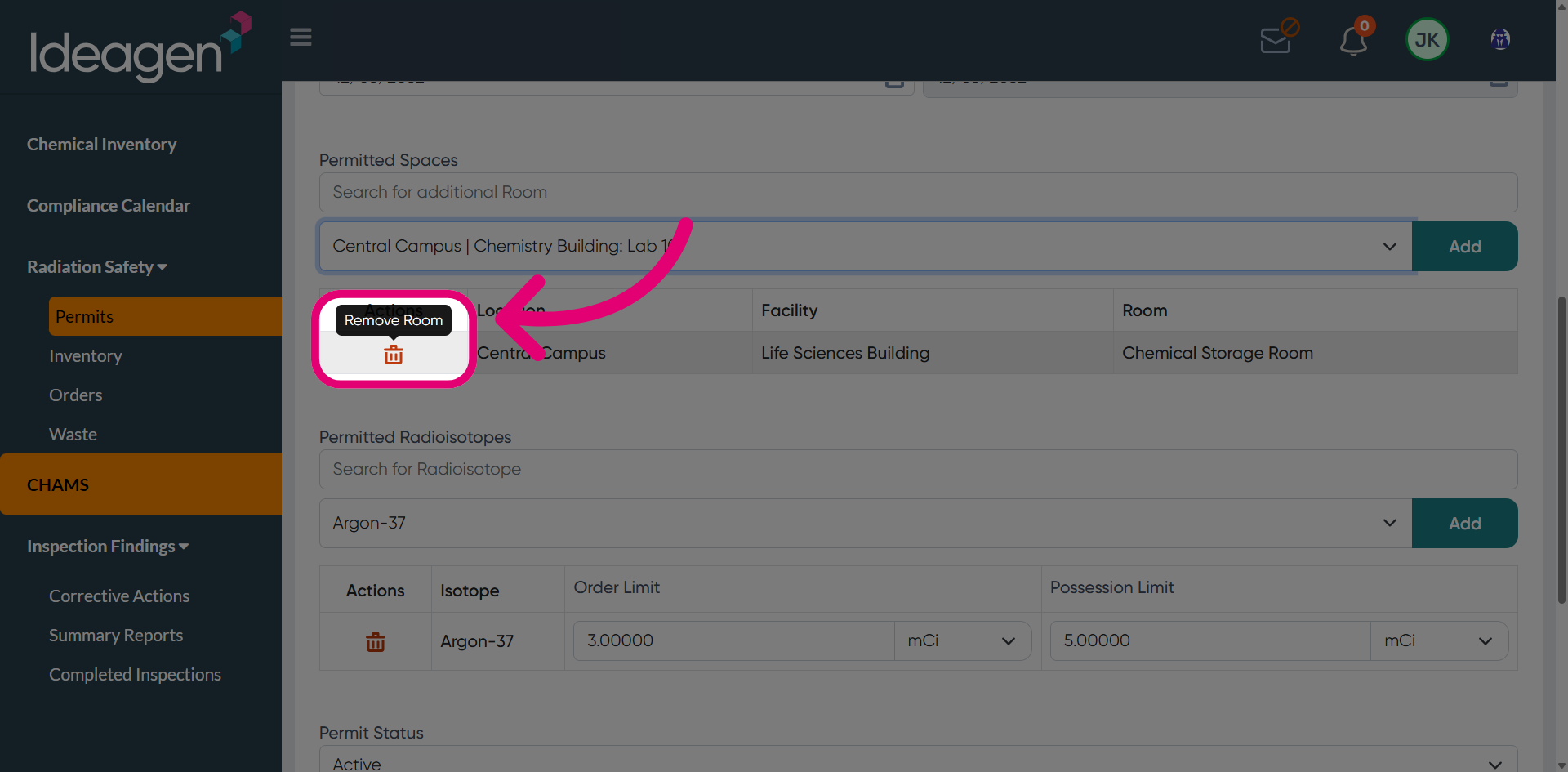
Remove the current location as needed
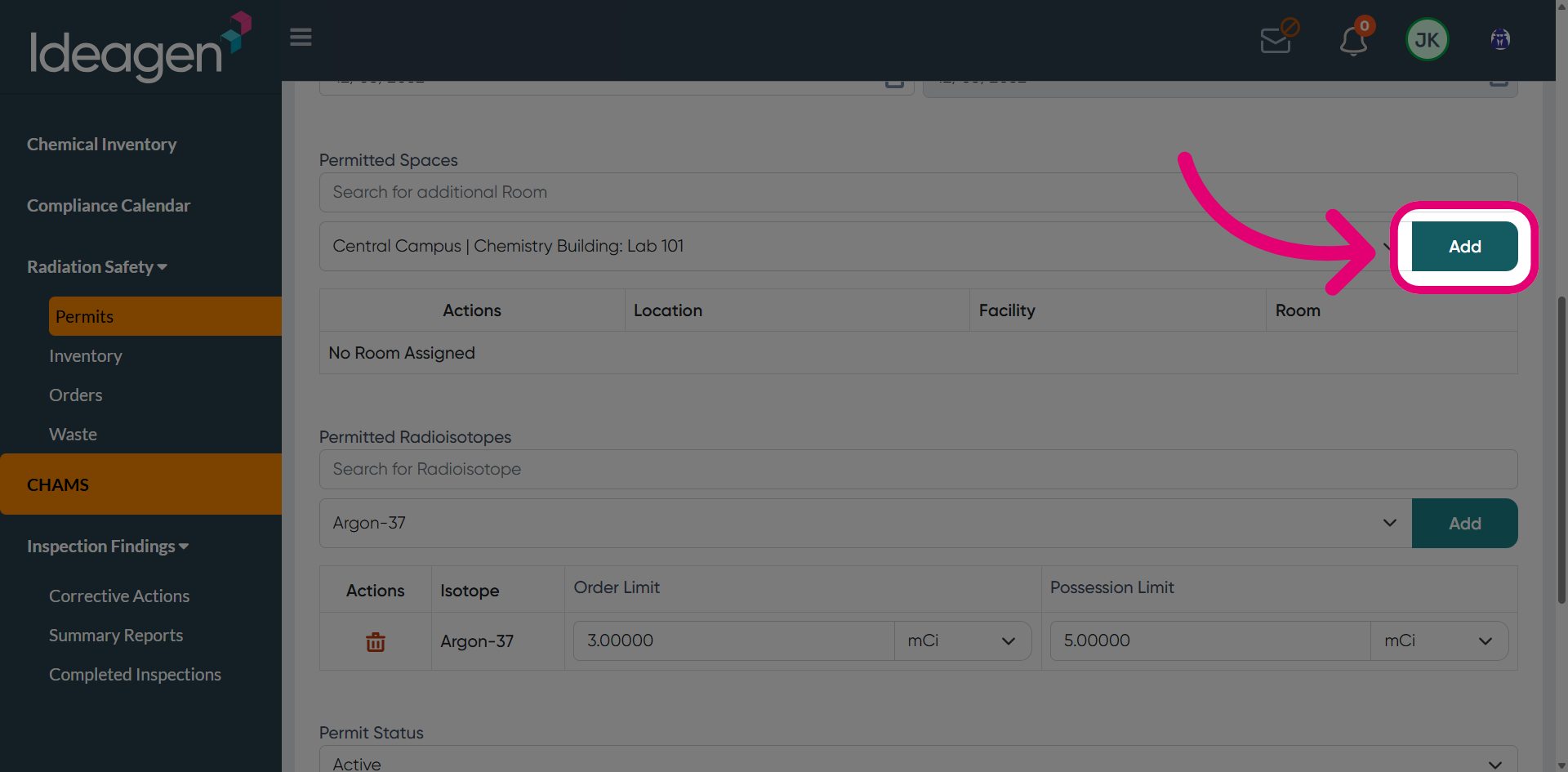
Click Add to add a new permit location.
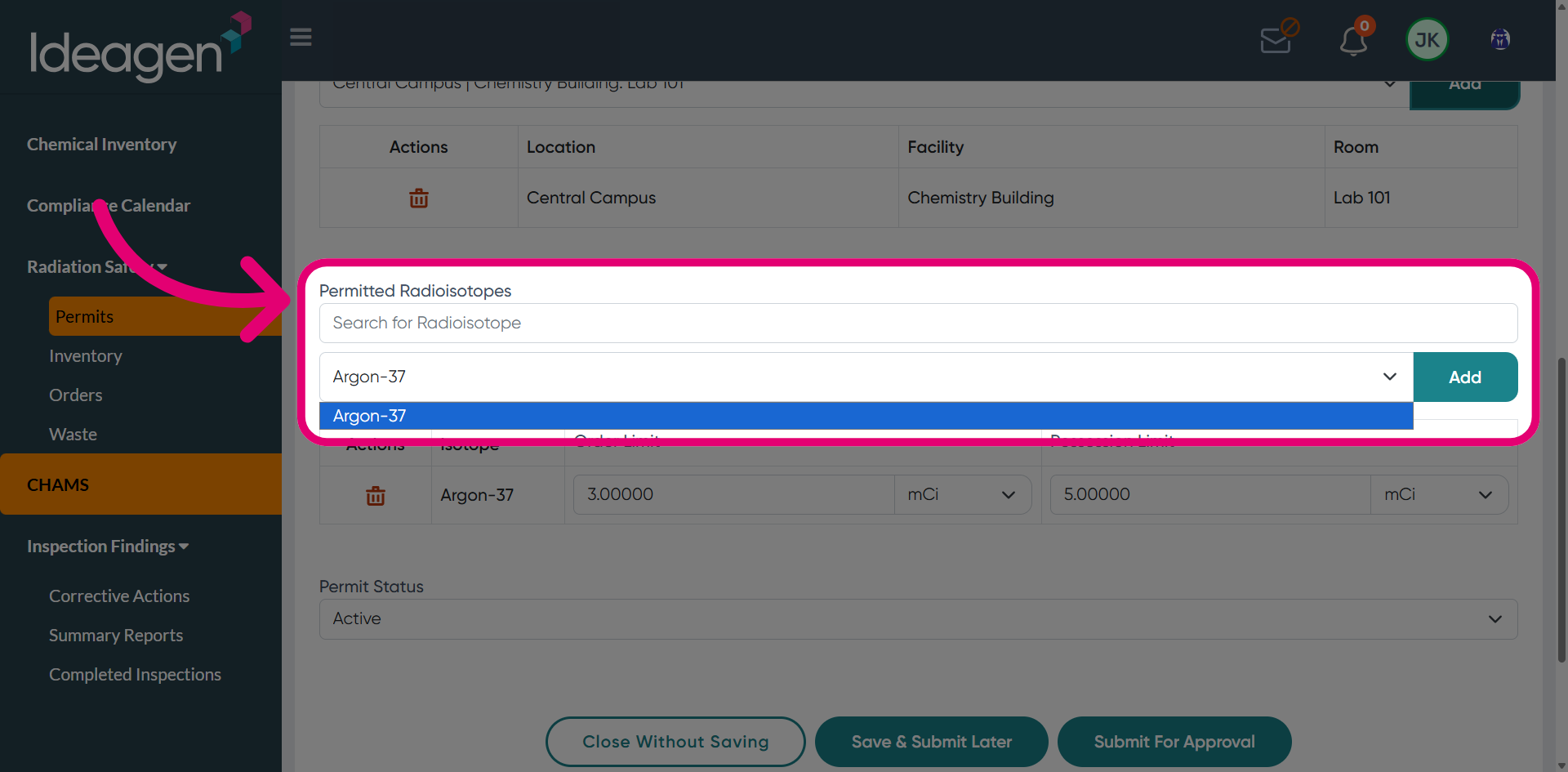
Add other Permitted Radioisotopes as needed.
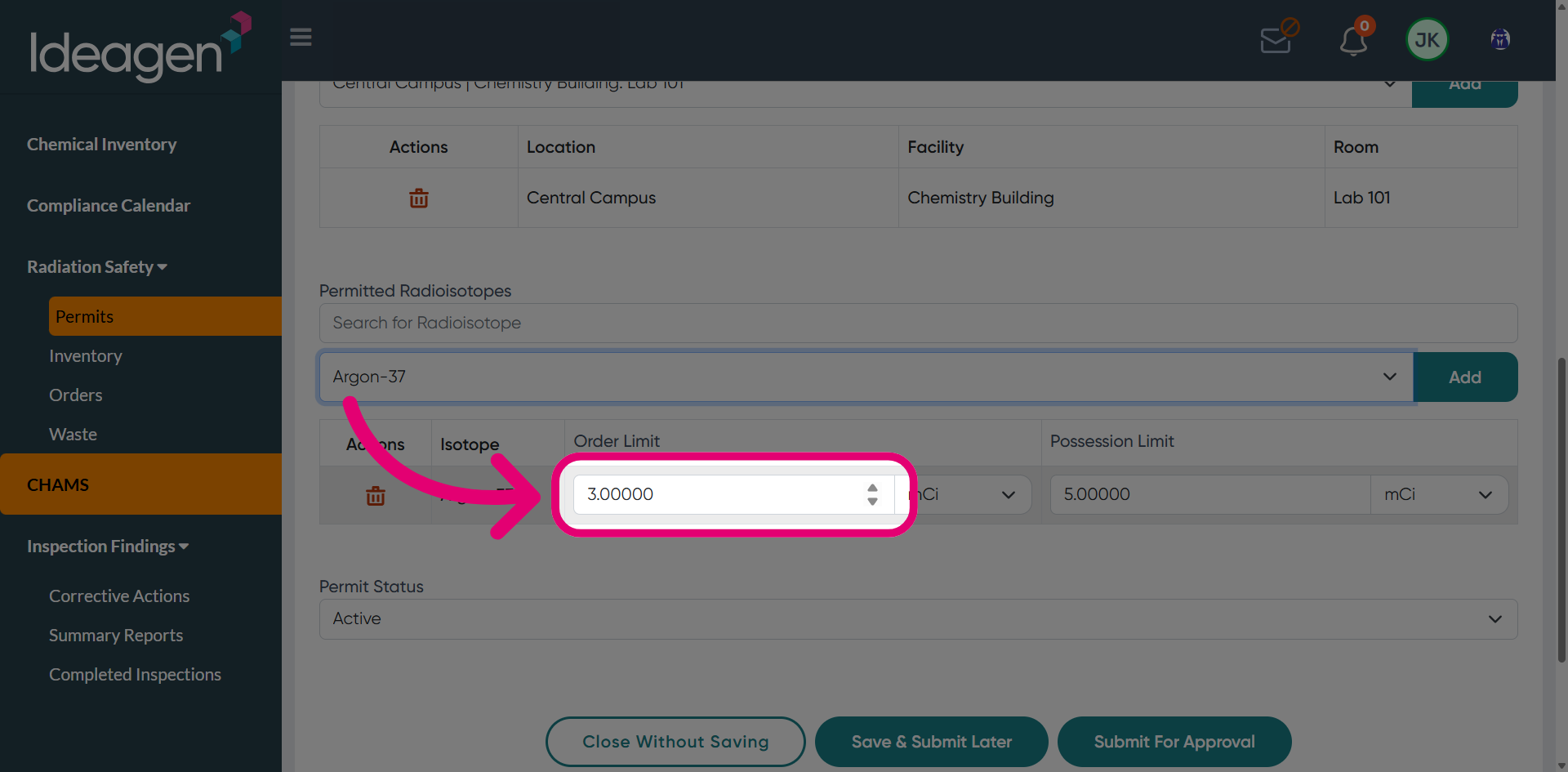
Update the Order Limit as needed.
Click Submit for Approval.
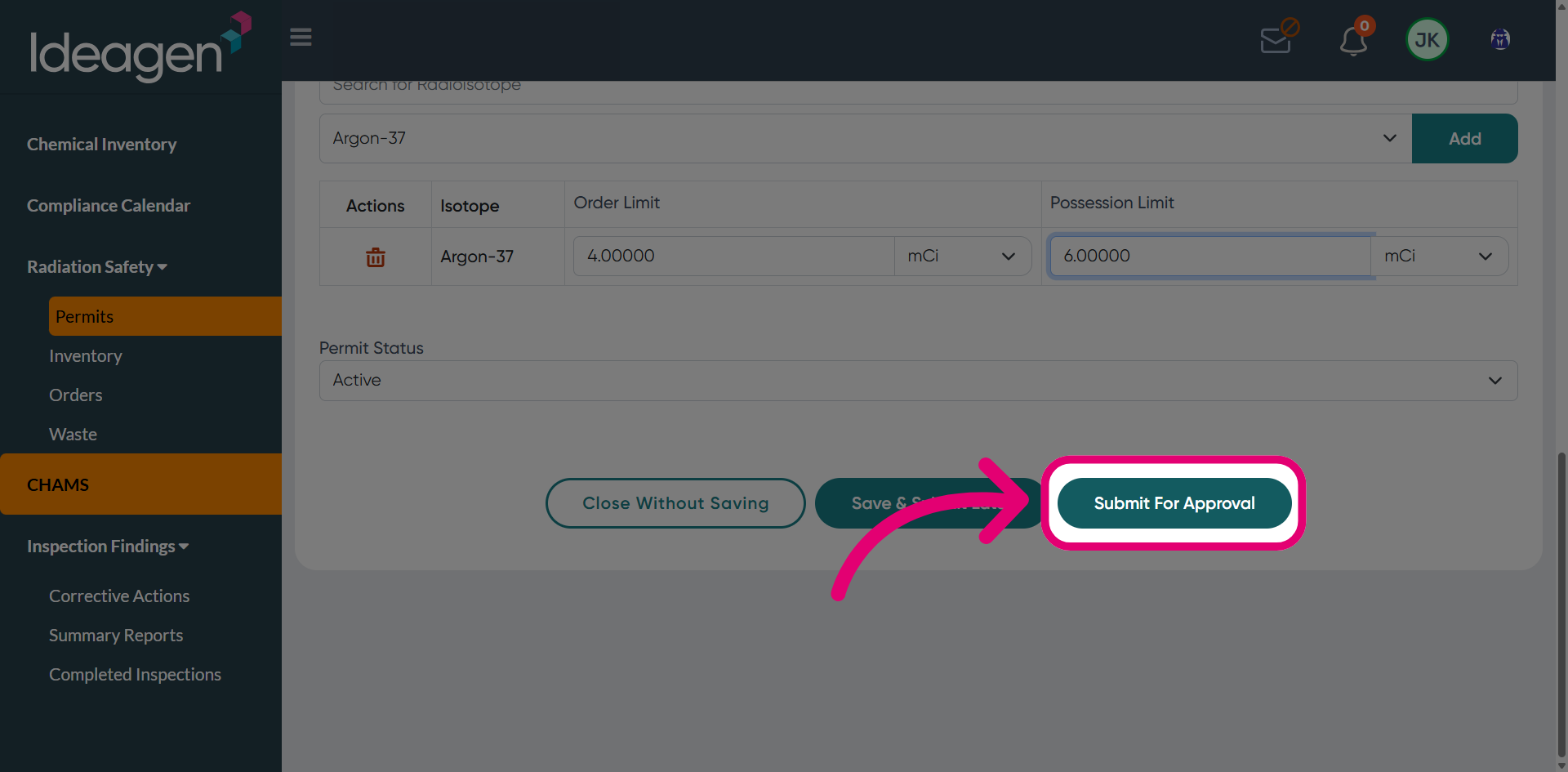
This will forward your amendment request for review.