New article
Recently updated
Creating an inventory from an existing record

Who is this article for?
Administrators who want to learn to create an inventory from an existing one.
Administrator permissions are required.
This tutorial explains how to create a new chemical inventory using existing inventory data.
You will learn how to copy an existing inventory record and configure the necessary dates for the new entry.
1. Creating a new inventory from an existing record
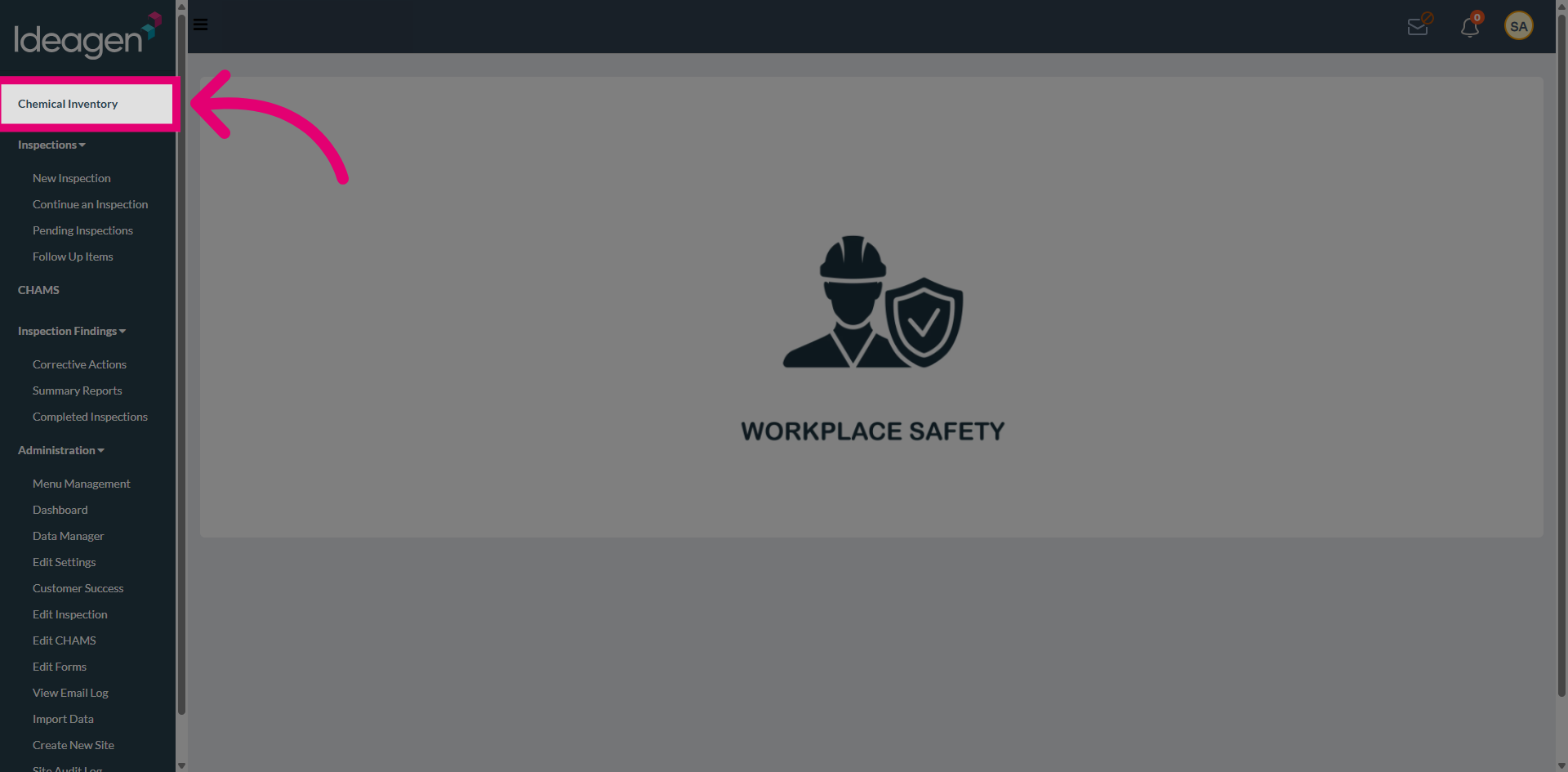
Navigate to the Chemical Inventory section from the main menu to manage chemical inventory.
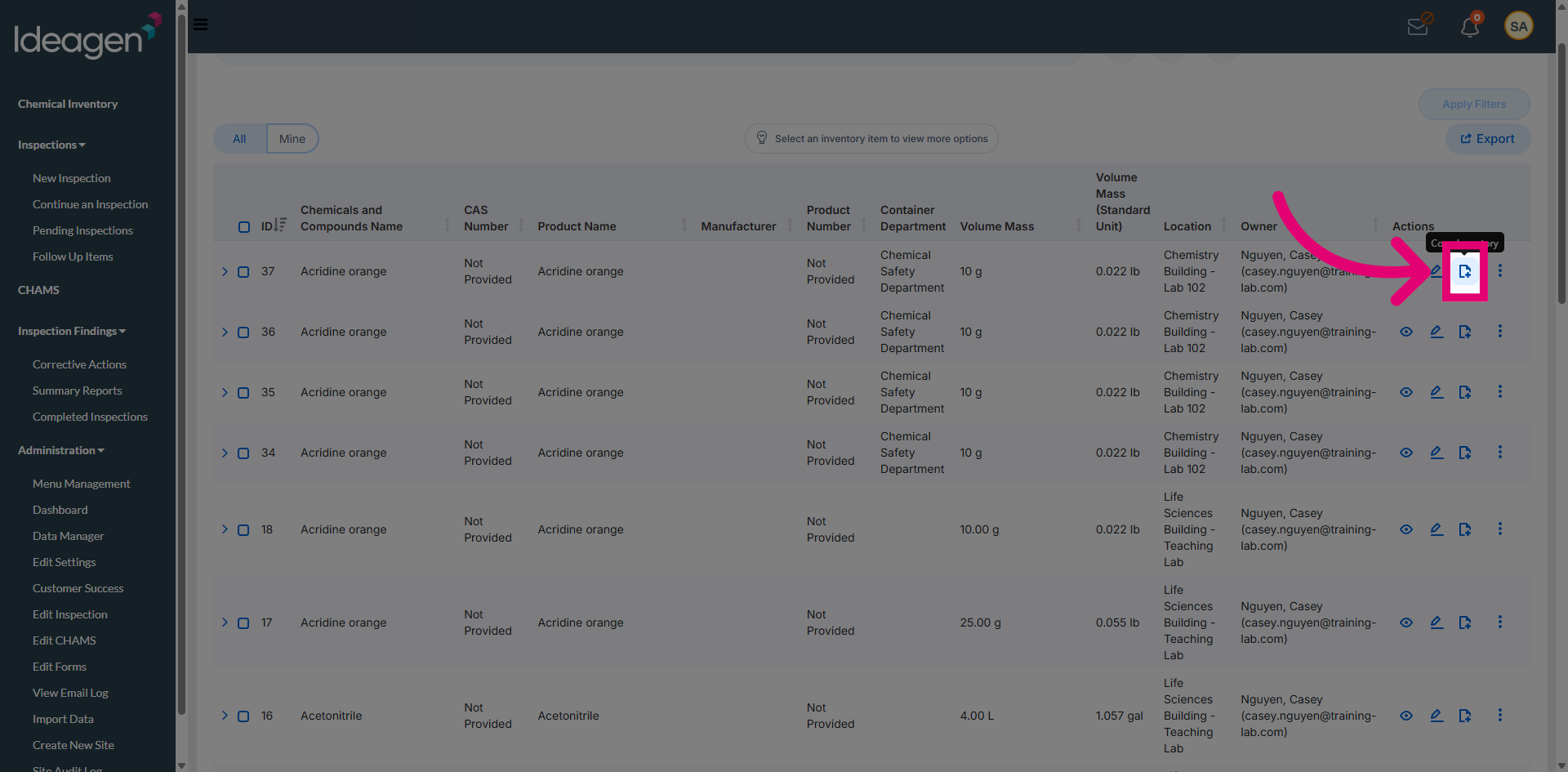
Locate the inventory record you want to reuse and choose the Copy option to create a new inventory based on the selected existing inventory.
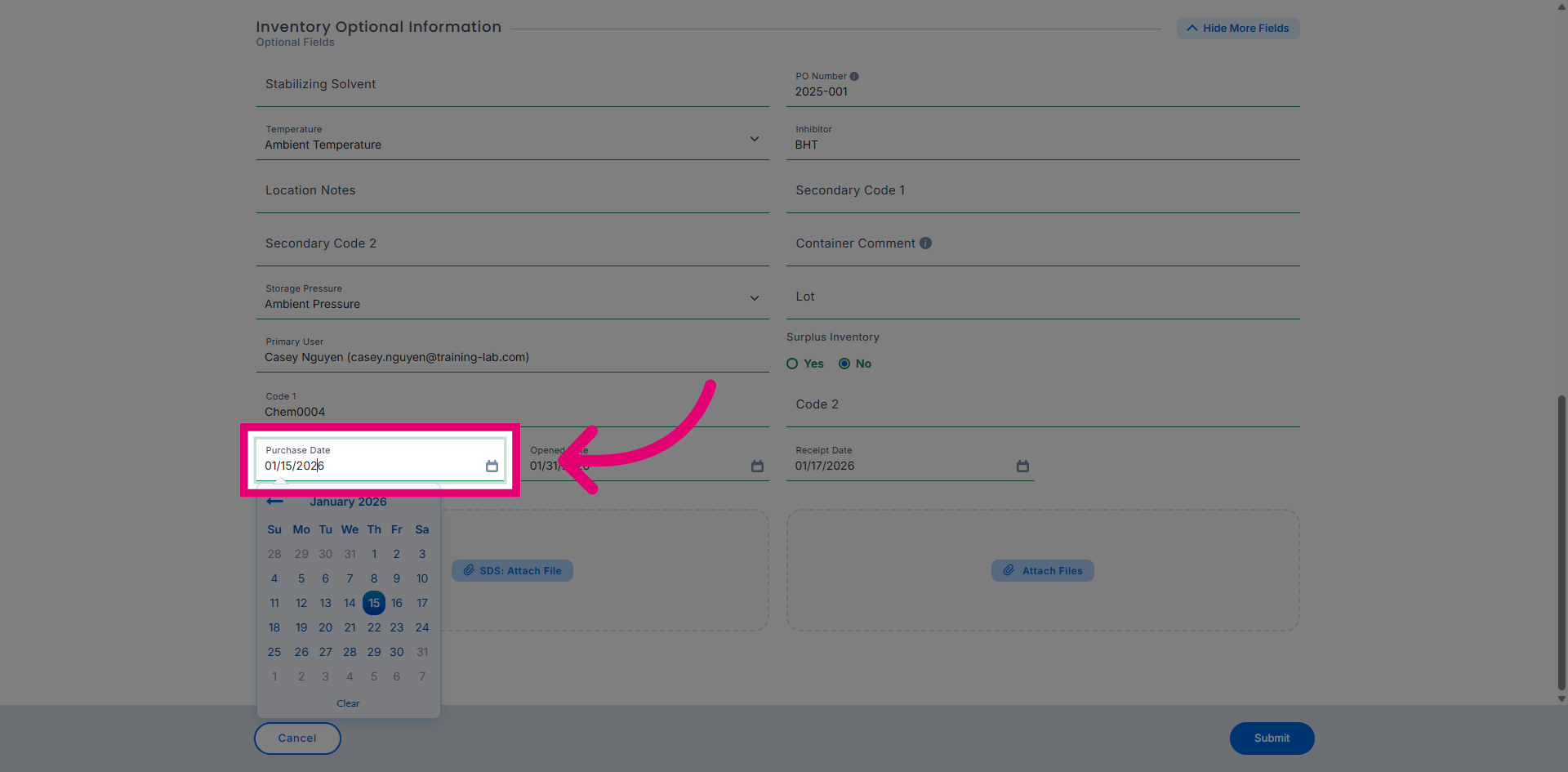
Click the Purchase Date field to specify when the chemical was purchased.
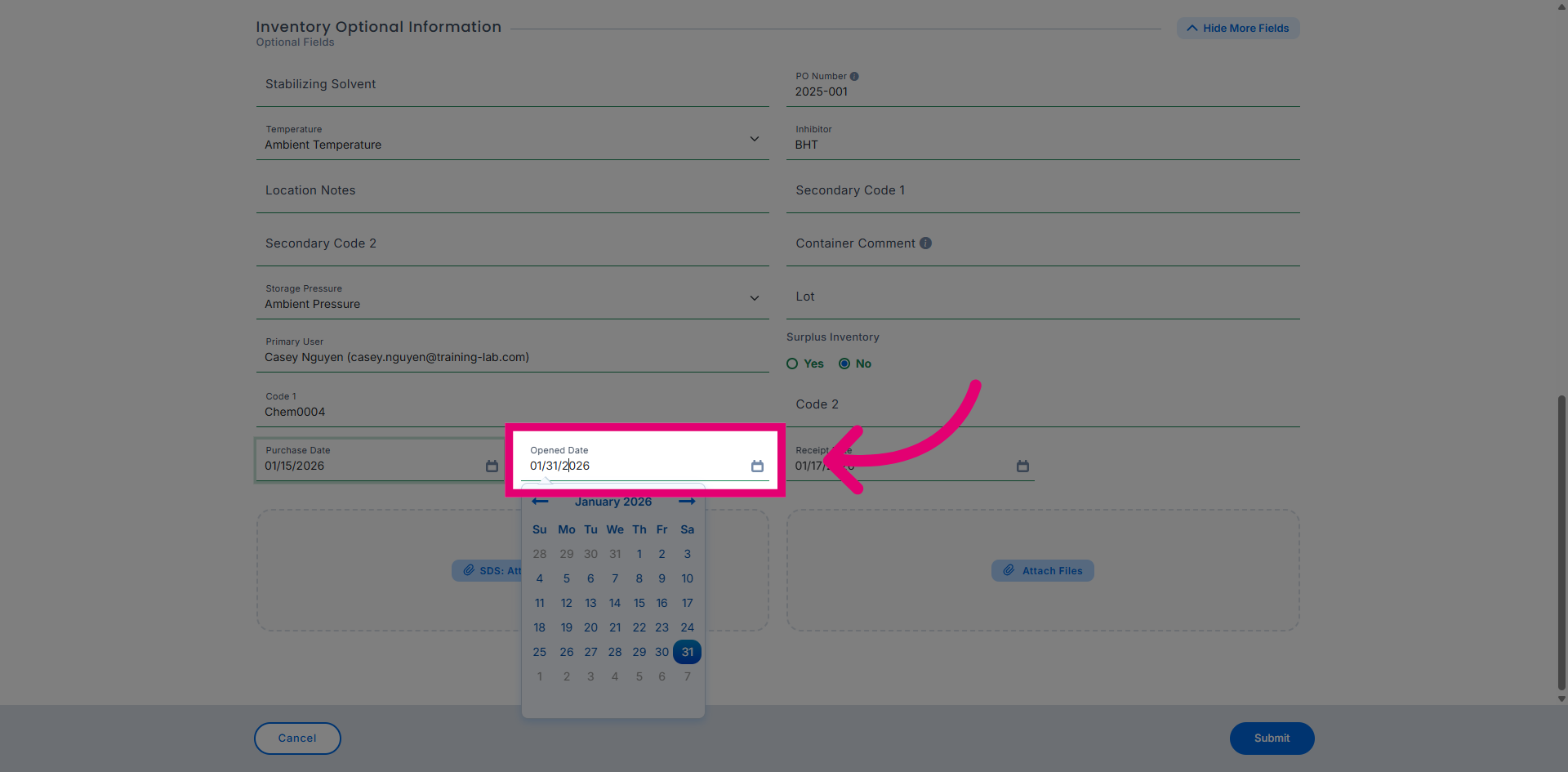
Click the Opened Date field to indicate when the chemical container was opened.
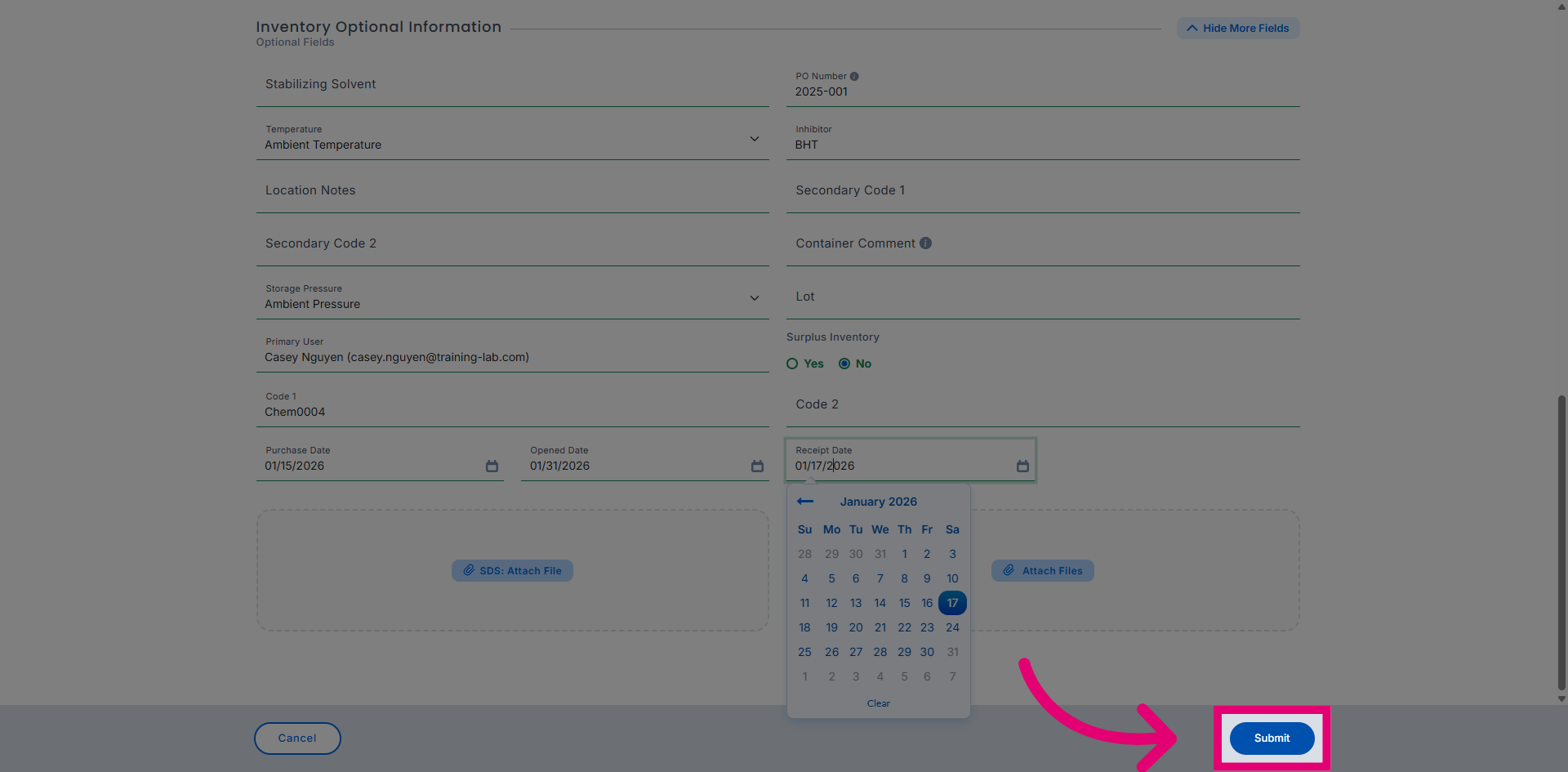
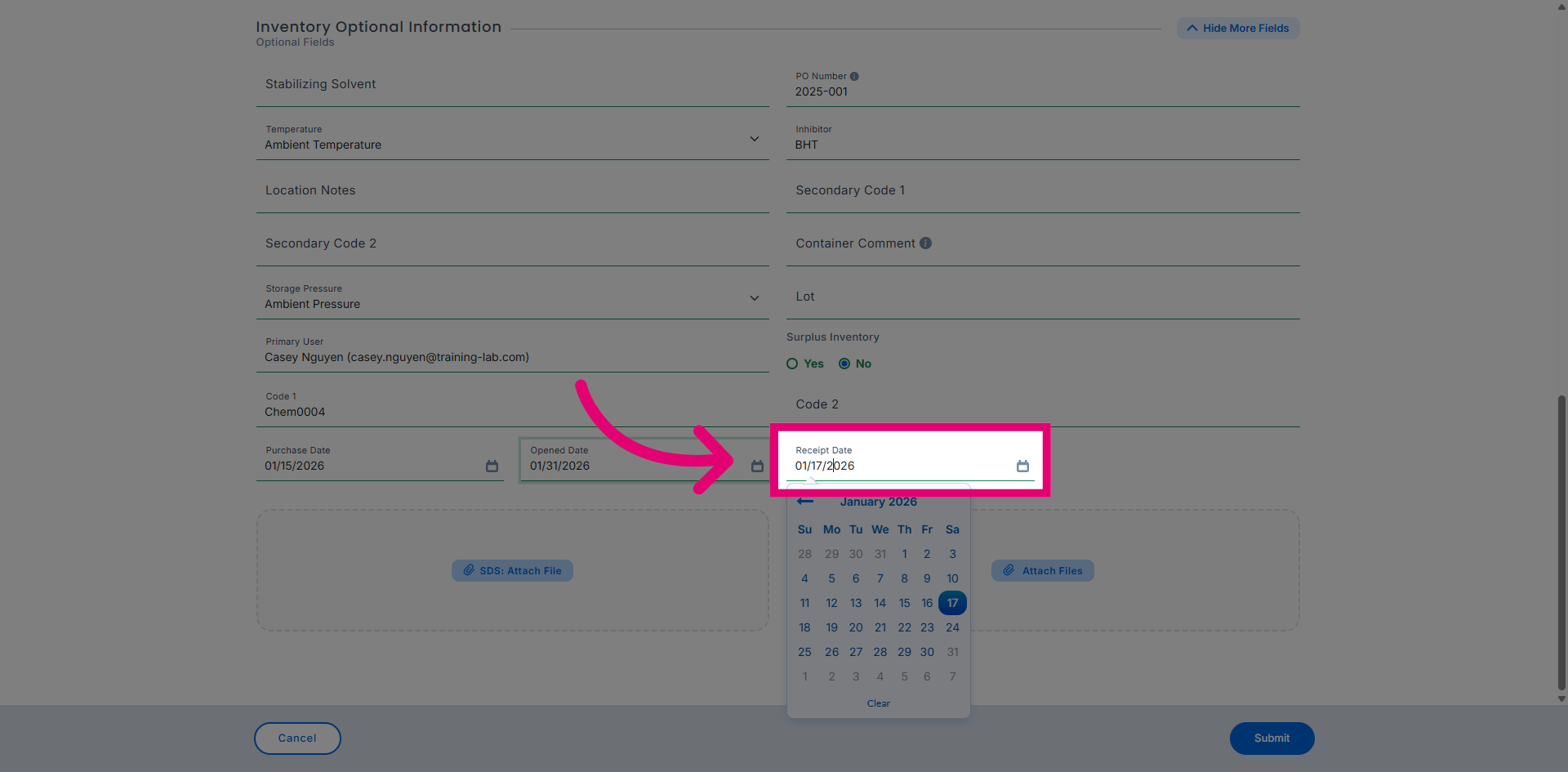
Click the Receipt Date field to record when the chemical was received.
Review all entered details and submit the inventory record to save the new entry.