New article
Recently updated
Extending a corrective action

Who is this article for?
Users who need to extend a corrective action.
No special access or permissions are required.
This article explains how to extend the due date for an existing corrective action in the system.
You will learn how to access a corrective action, initiate the extension process, select a new due date, and provide justification for the extension.
1. Extending a Corrective Action
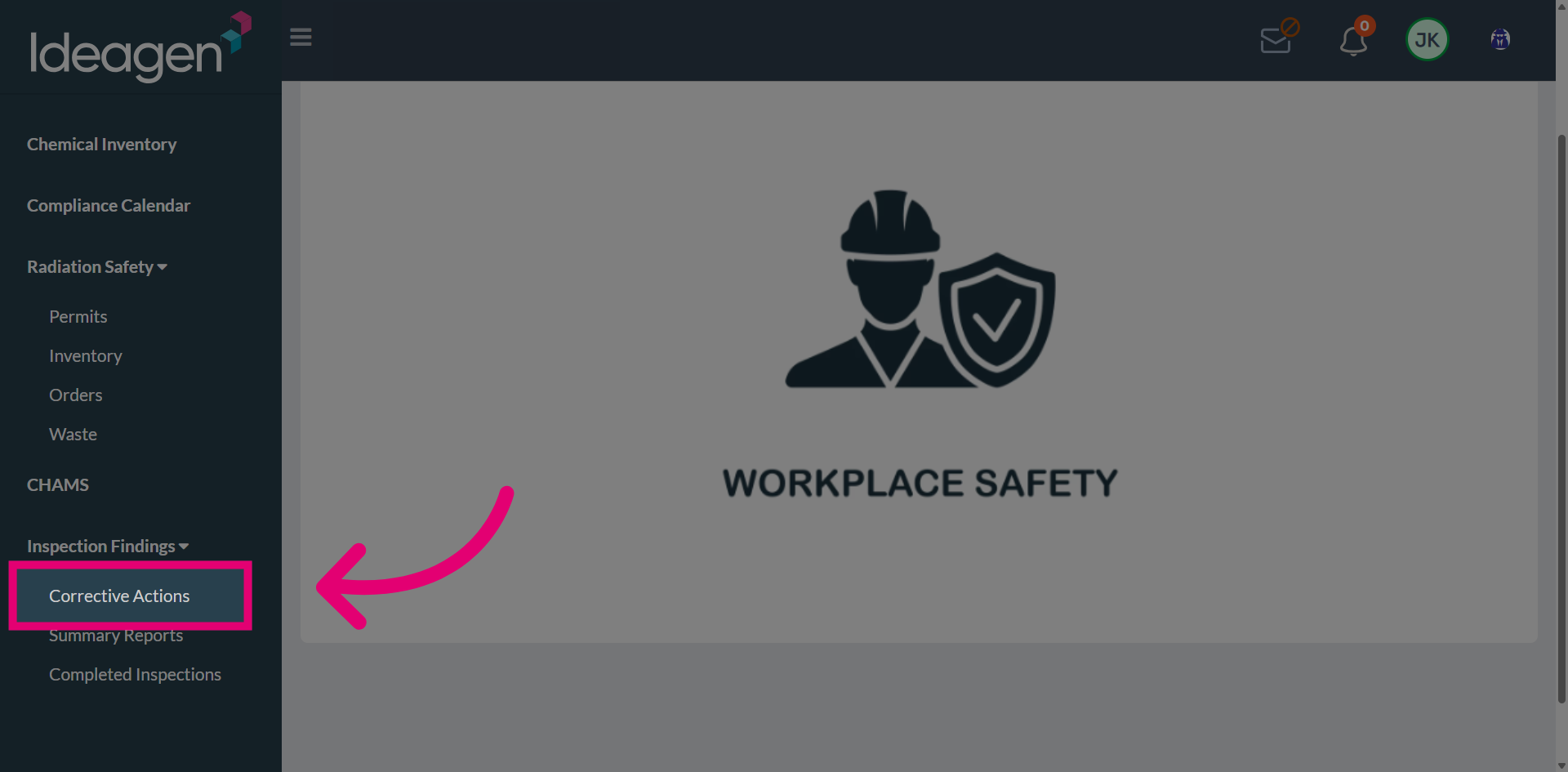
Access the Corrective Actions section from the main navigation menu.
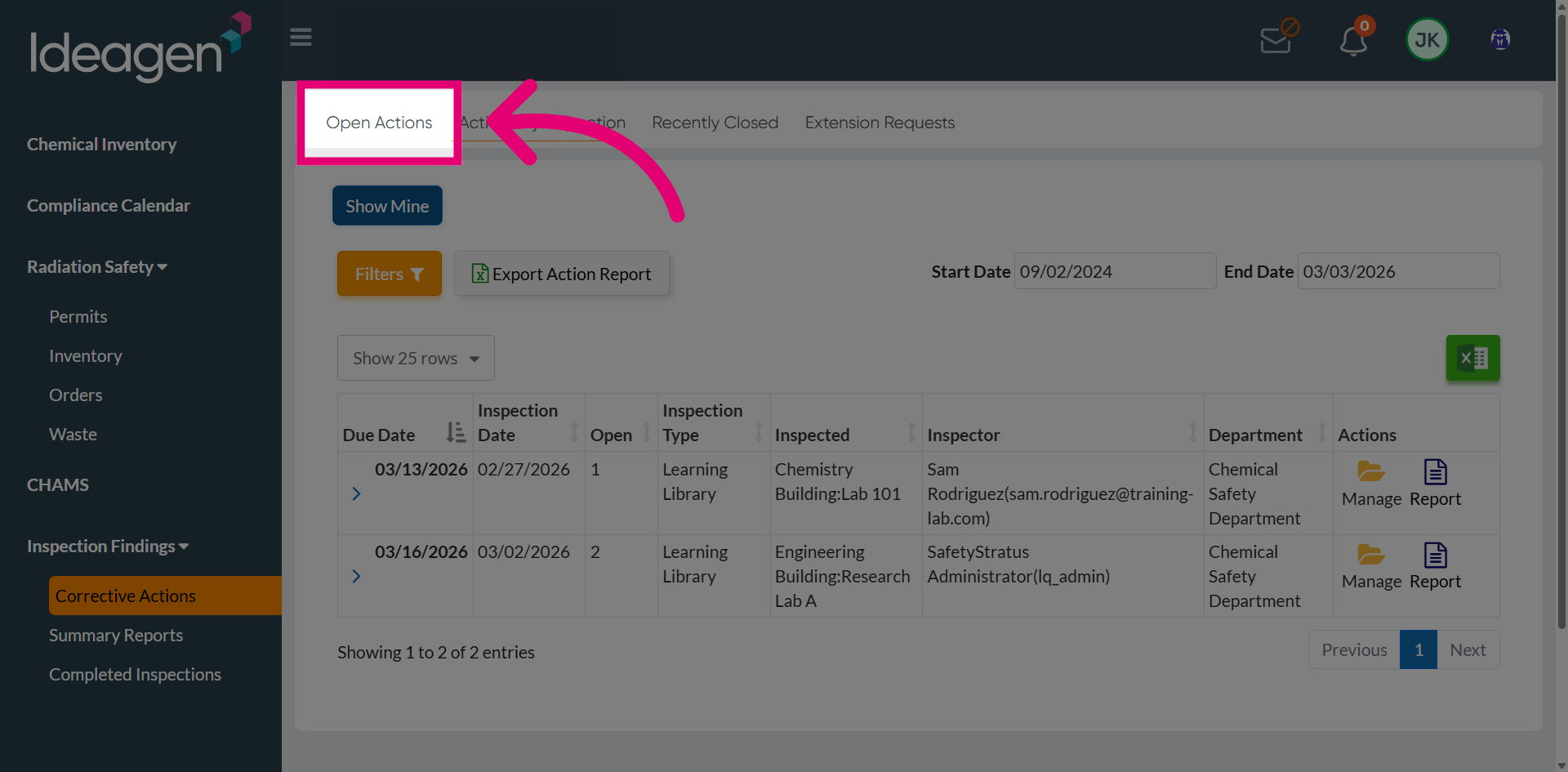
Open the Existing Corrective Actions list to view all current corrective actions.
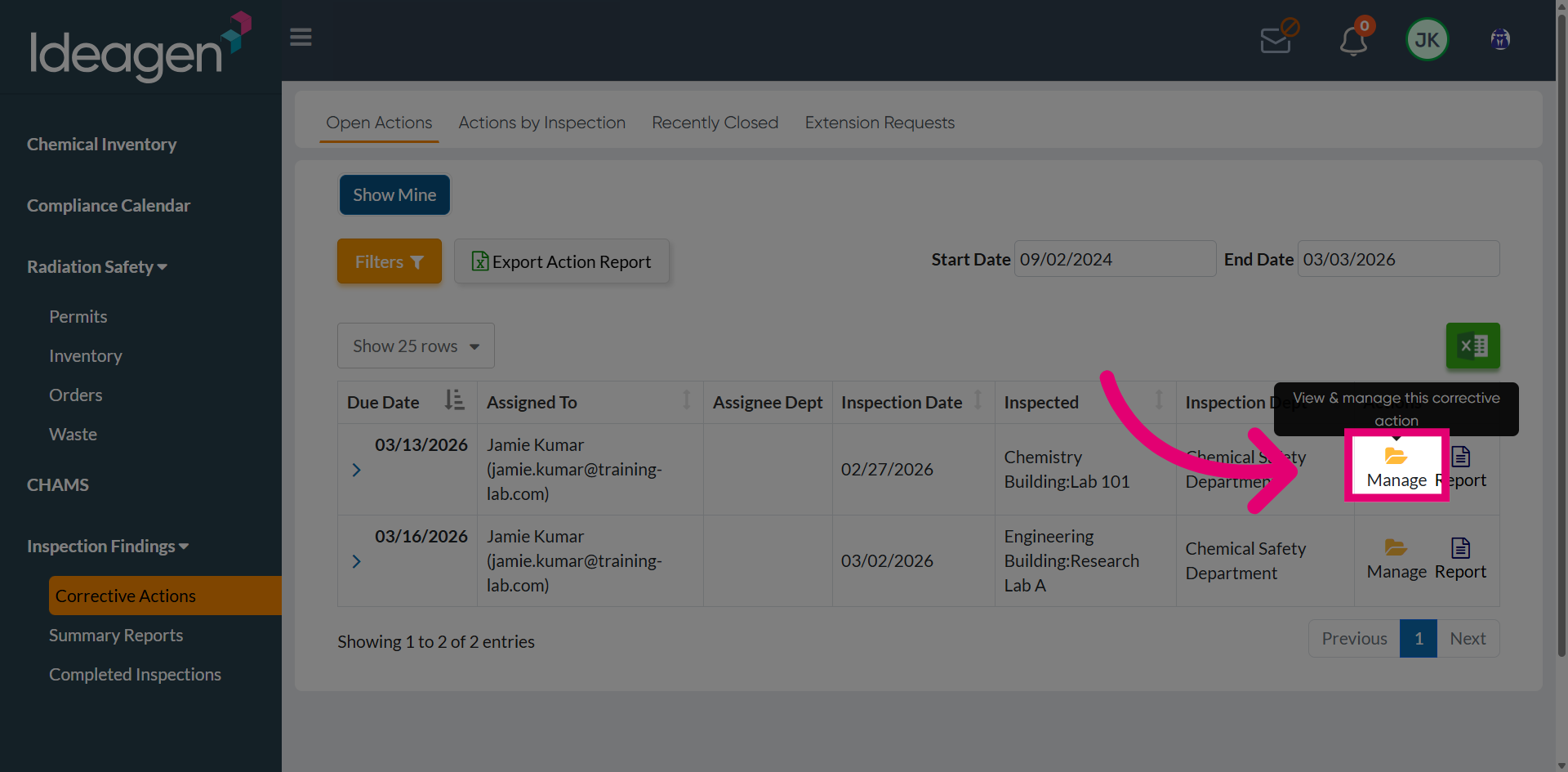
Select the corrective action you want to extend from the list.
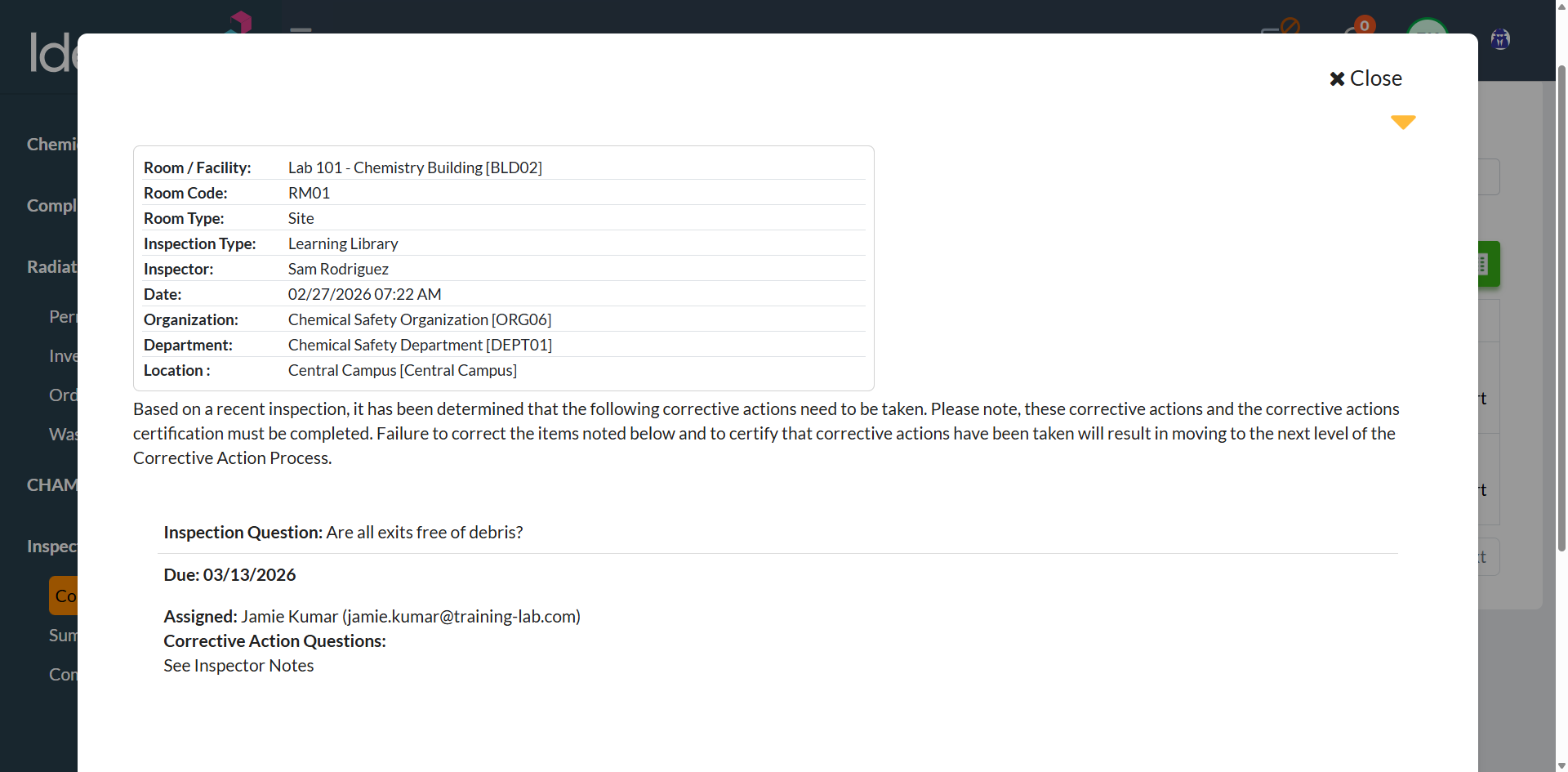
Review the corrective actions overview to verify the details and current due date.
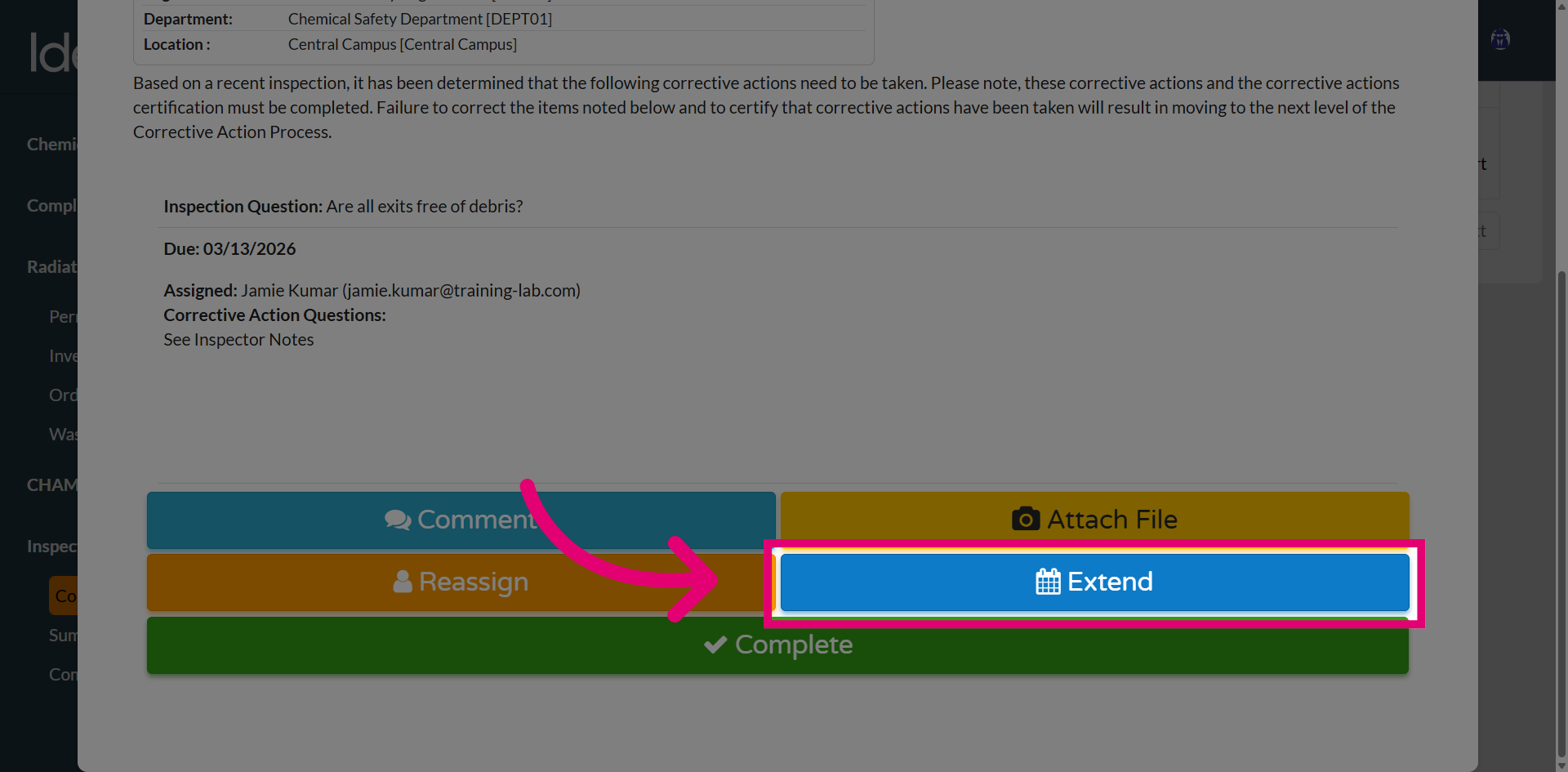
Click the Extend button to initiate the extension process.
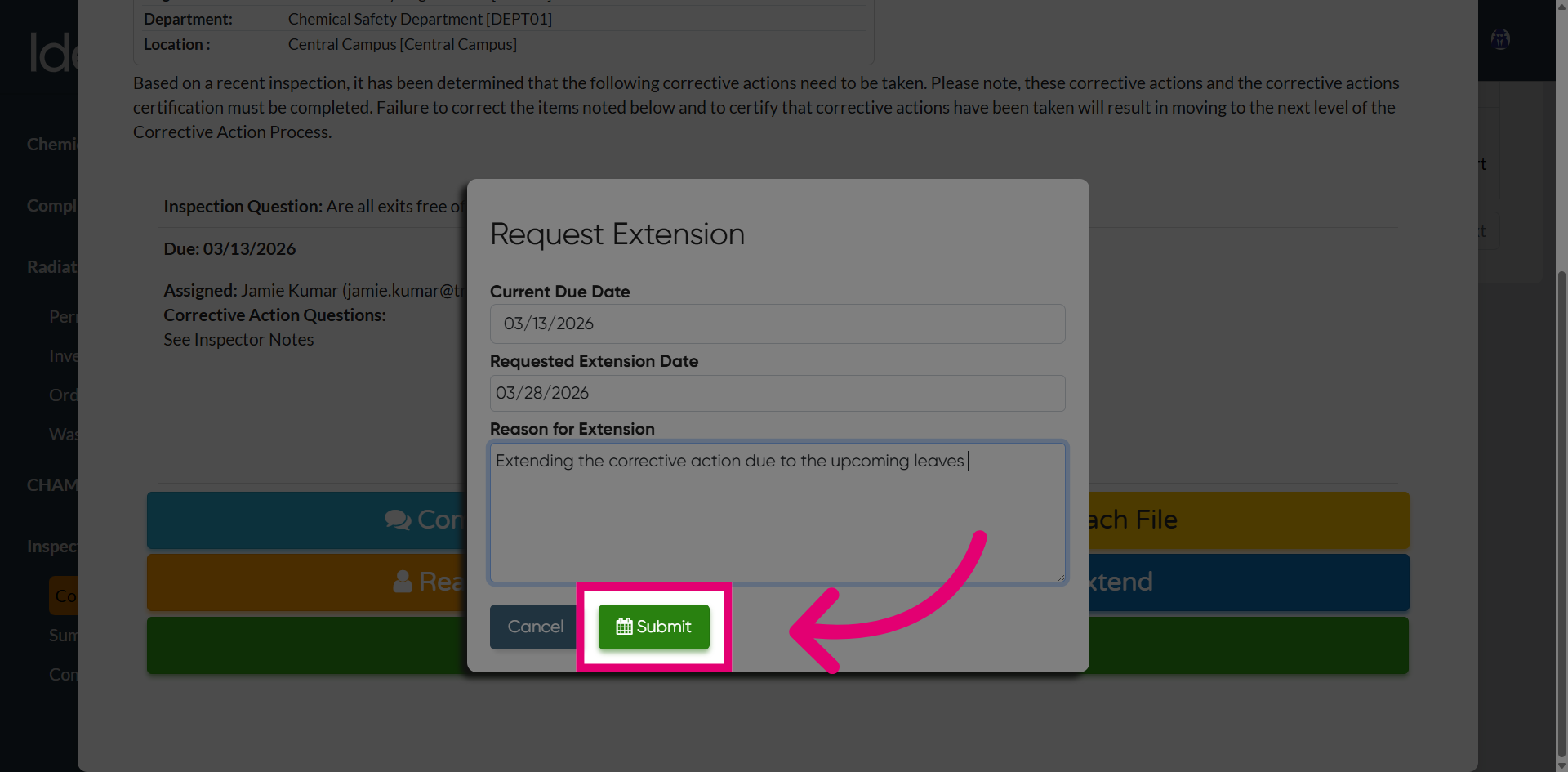
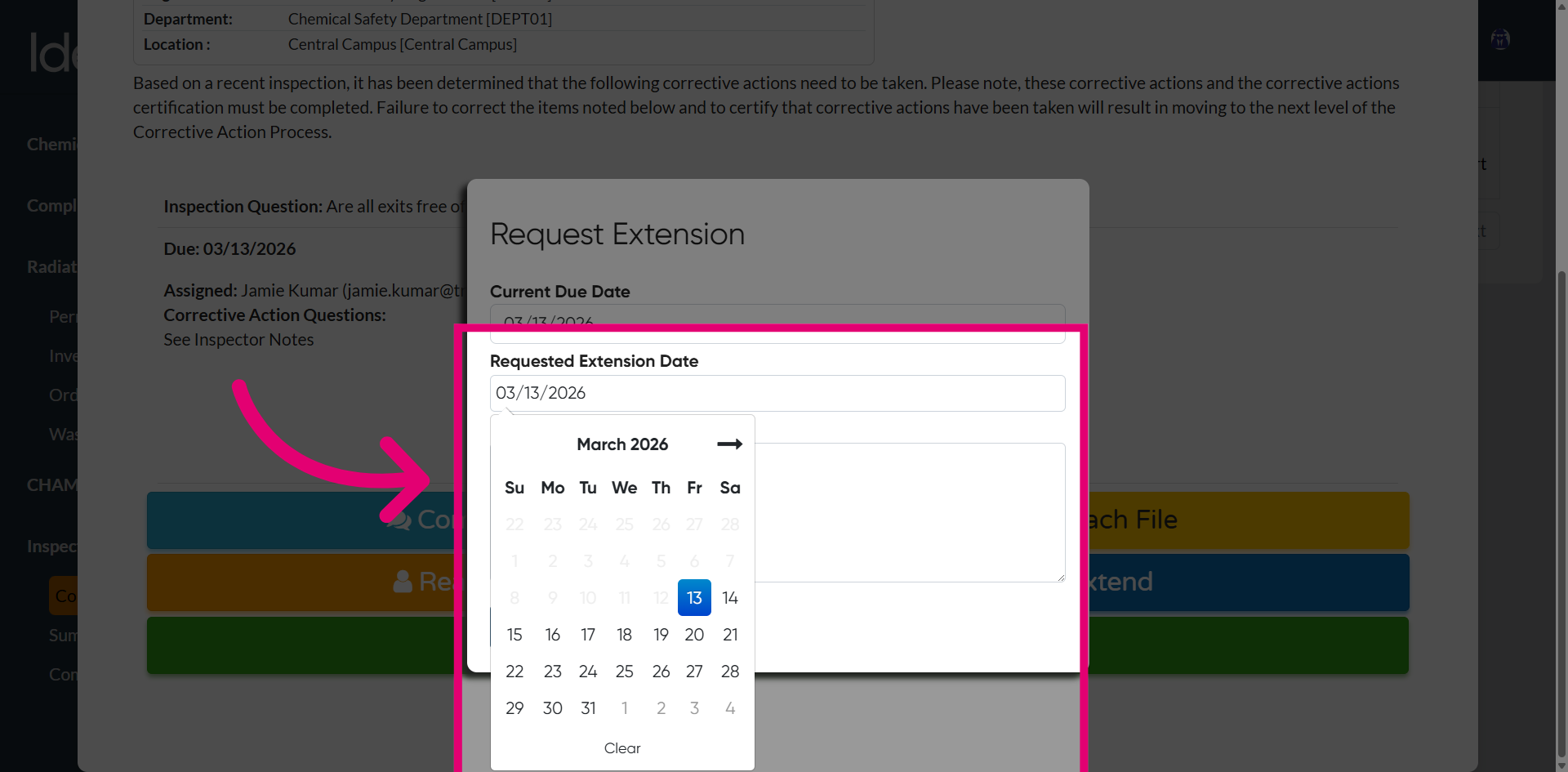
Open the extension date picker and select the new due date for the corrective action.
Enter the extension justification in the provided text field, explaining the reason for the extension.
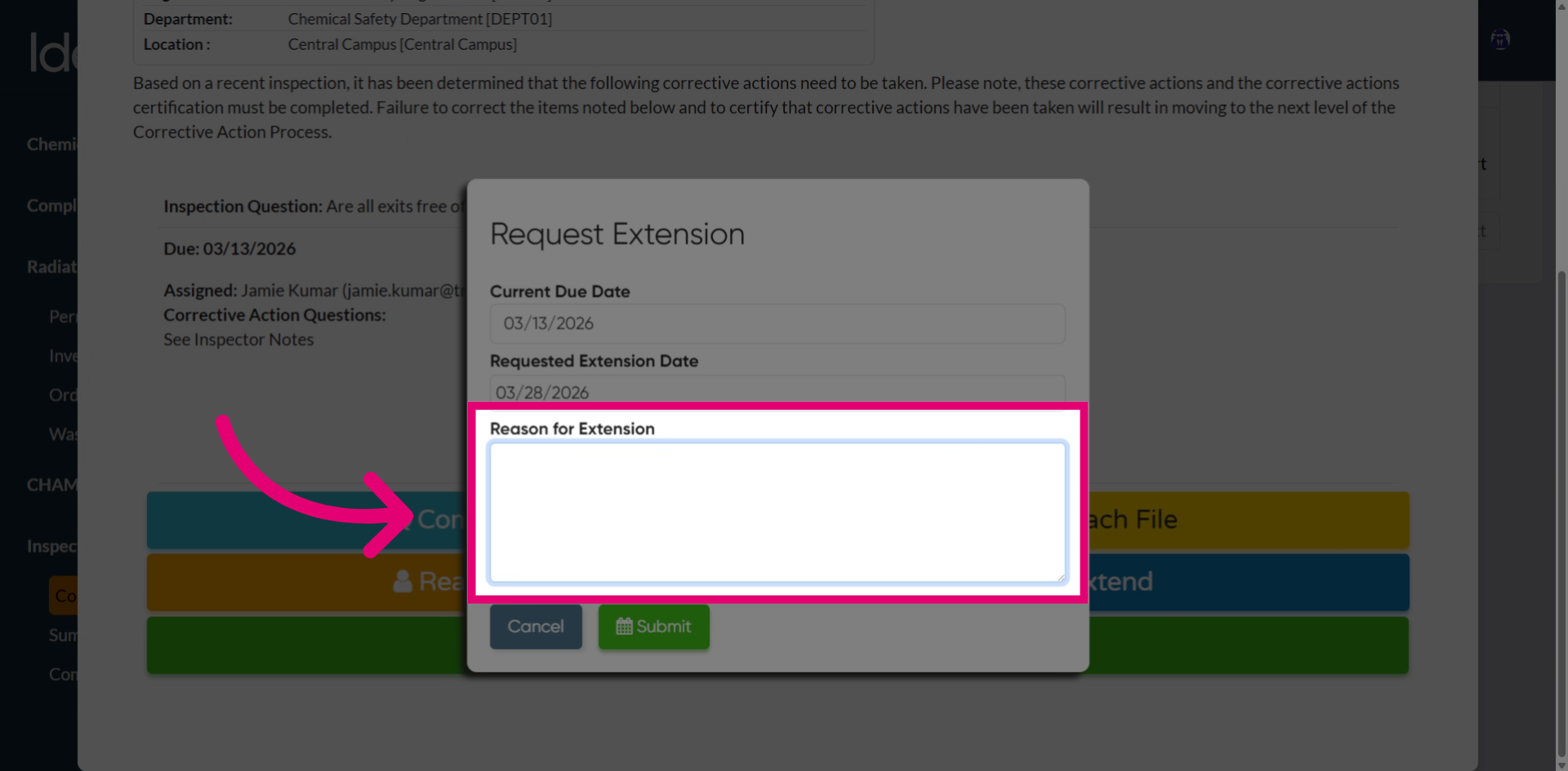
Click the Submit button to complete the extension request.