


New article
Recently updated
Editing and merging a chemical profile

Who is this article for?
Administrators who want to learn how to edit and merge a chemical profile.
Administrator permissions are required.
Chemical profiles can be edited to update hazard information, regulatory data, and other details, and duplicate profiles can be merged to maintain accurate inventory records.
1. Editing a profile
To edit a profile, follow these steps:
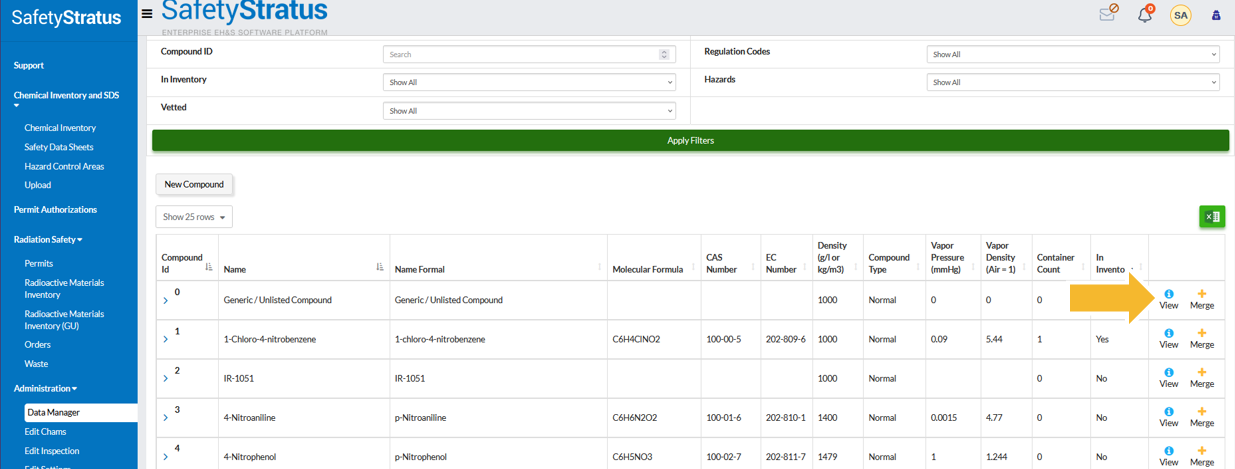
- Click the View icon.
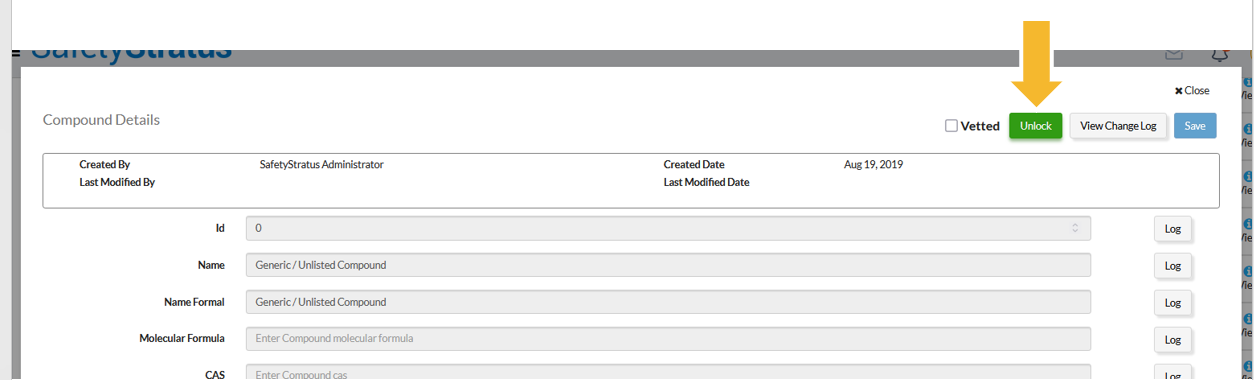
- Click Unlock to enable editing.
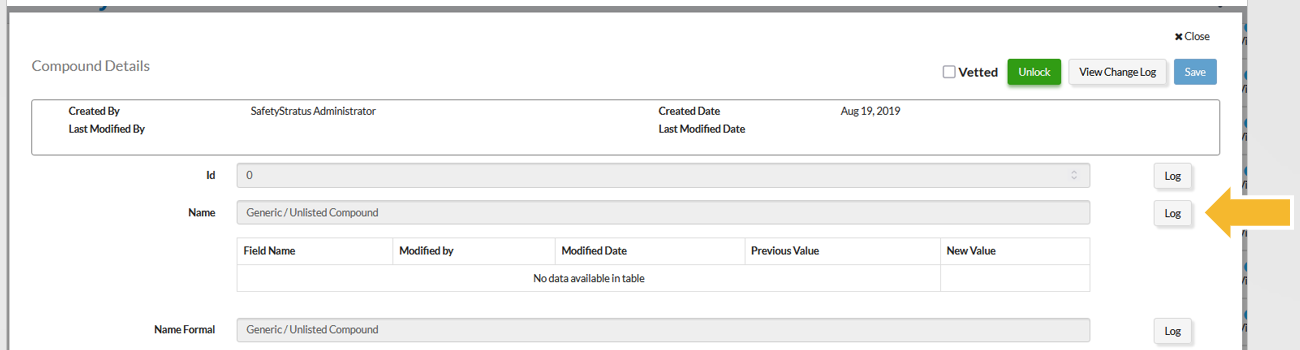
Each line item includes a log that tracks the history of edits for that specific field.
2. Viewing the change log
To view all changes made to a profile, follow these steps:
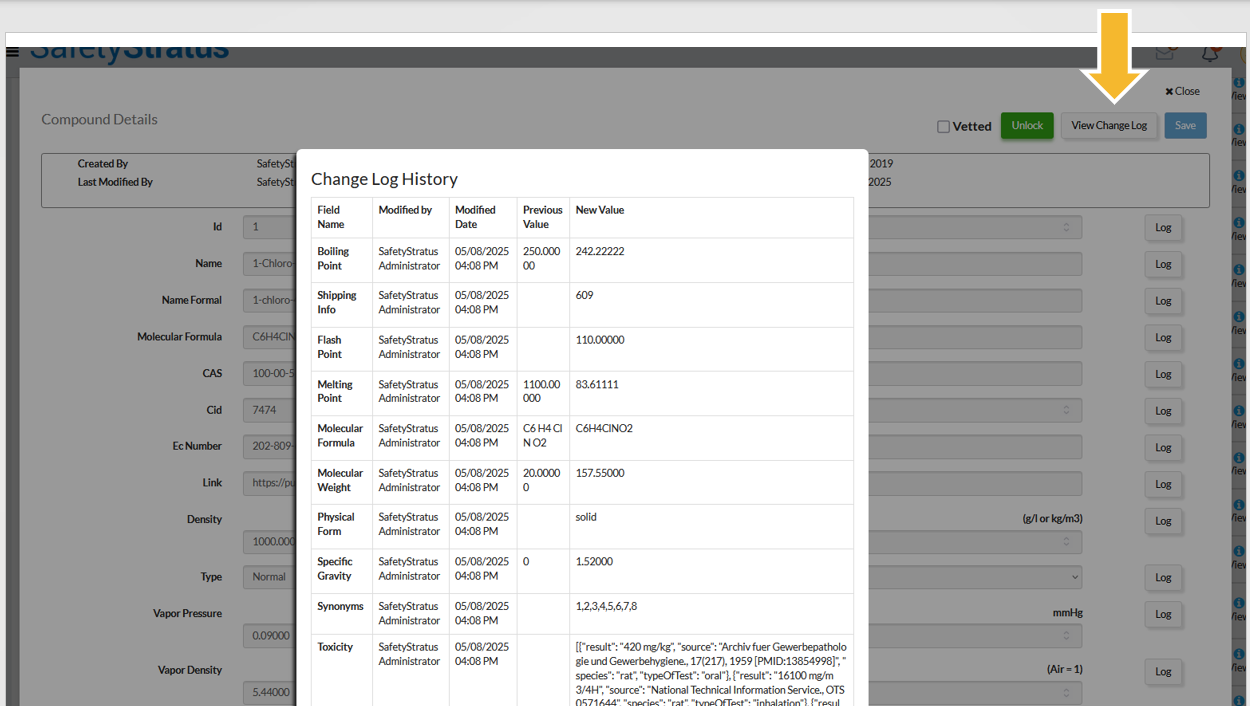
- Click the View Change Log button.
This displays a complete list of all changes on the profile. Each line item has its own log to track the history of edits on that specific field.
3. Merging profiles
Chemical profiles allow administrators to merge duplicate or outdated profile entries, consolidating their data into a single record to support cleaner, more accurate inventory records.
To merge profiles, follow these steps:
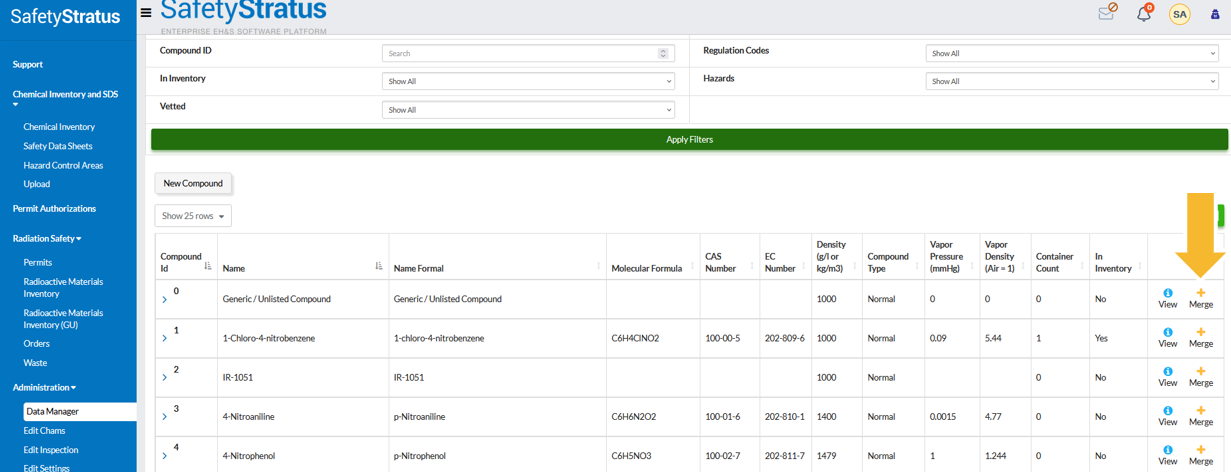
- Click the + Merge icon on the entry you wish to merge.
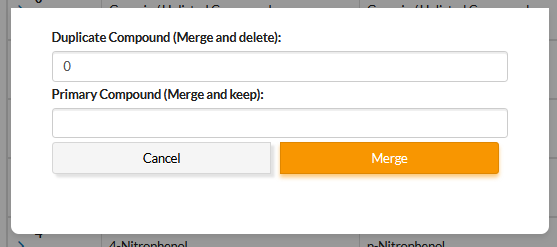
- Type in the profile ID of the profile that the selected profile will merge into.
4. Following best practices for profile management
To maintain accurate and compliant chemical profiles, consider these key tips:
- Keep one source of truth: Always update hazard or regulatory data within the profile—not at the container level—to maintain global consistency
- Vet before publishing: Mark a profile as Vetted only after confirming its Safety Data Sheet (SDS), hazard codes, and regulatory classifications are current
- Avoid duplicate profiles: Search the catalogue before creating a new profile to prevent redundancy and ensure proper linkage to products
- Track change history: Use the built-in audit log to document updates, which supports compliance verification during audits or inspections
- Standardise naming conventions: Use clear, consistent names (for example, Acetone [67-64-1]) to make searching and linking easier for all users
- Collaborate with Environmental Health and Safety (EHS) or Procurement: Coordinate profile creation and updates with those teams to ensure alignment with purchasing and regulatory data
- Review annually: Schedule a yearly audit of key profiles (flammables, corrosives, toxics) to verify data accuracy and SDS updates