New article
Recently updated
Creating a new catalog entry

Who is this article for?
Administrators who want to learn to create a new catalog entry.
Administrator permissions are required.
This article explains how to add a new chemical product to the catalog by completing the New Catalog Entry form.
1. Accessing the catalog
To access the catalog, follow these steps:
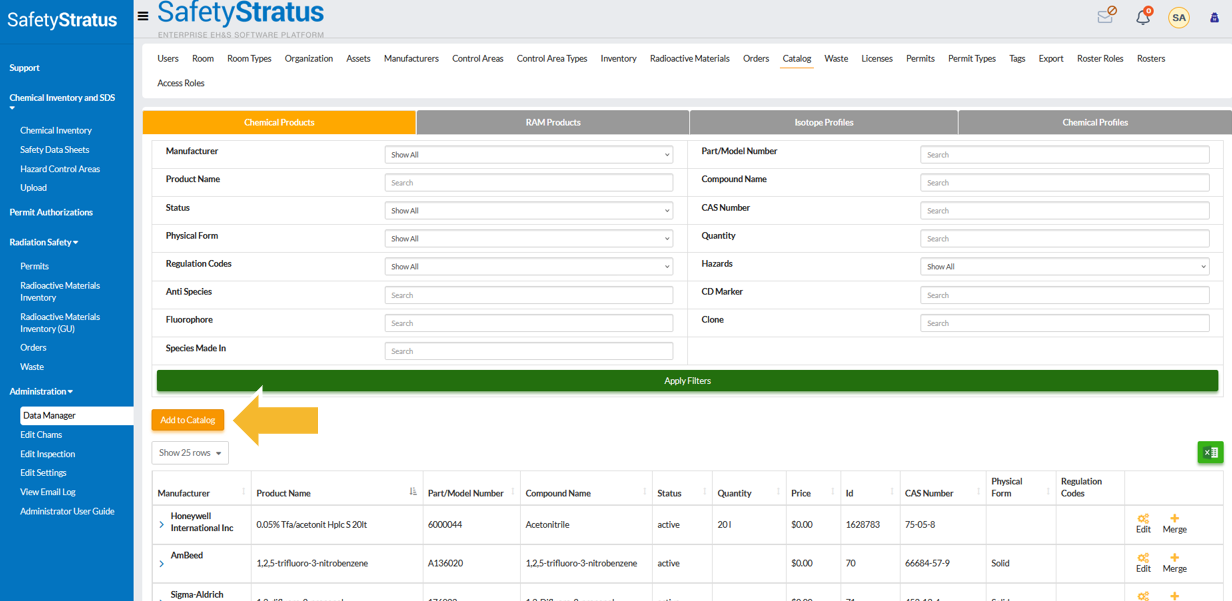
- Go to Data Manager, then select Catalog, then choose Add to Catalog.
- Complete the New Catalog Entry form with the required information.
2. Completing chemical product fields
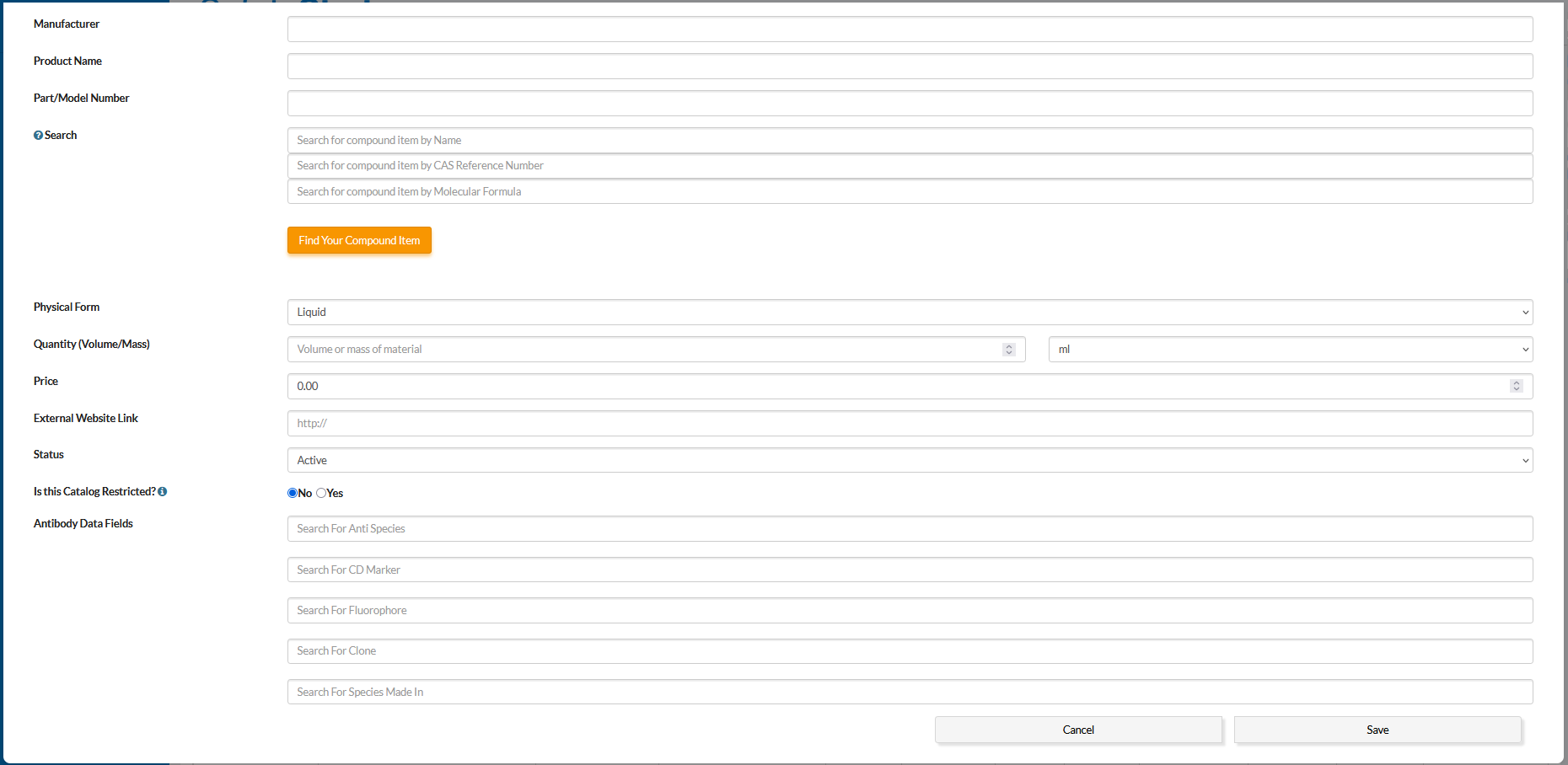
The following fields are available when adding a new chemical product:
| Field | Description / Instructions | Examples / Options |
|---|---|---|
| Manufacturer | Select from the existing list or create a new entry. | e.g., Sigma-Aldrich |
| Product Name | Enter the common name of the chemical product. | e.g., Acetone |
| Part / Model Number | Enter the manufacturer's product number and package size. | e.g., 67-64-1, 500 mL |
| Search | Link to an existing Chemical Profile to automatically populate hazard, storage, and regulatory data (required for automatic hazard data population). | — |
| Physical Form | Select the physical state of the product. | Options: Solid, Liquid, Gas, Sealed Source |
| Quantity | Enter the volume or mass of the container. | e.g., 1 L |
| Price | Optionally enter the cost of the product for budget tracking. | — |
| External Website Link | Enter the URL for the manufacturer's product page. | e.g., https://www.sigmaaldrich.com/... |
| Status | Define catalog availability. | Options: Active, Discontinued, Deleted (only Active is selectable during inventory add) |
| Is This Catalog Restricted? | Select Yes or No to trigger automated alerts when product quantity limits are exceeded (for regulated or sensitive materials). | Options: Yes, No |
3. Enabling antibody data fields
Specialized fields for biological products (e.g., anti-species, CD markers, fluorophores, clones) can be enabled for antibody tracking.
To enable antibody data fields, follow these steps:
- Go to Edit Settings, then select Chemical Inventory, then choose Antibody Data Fields.
- Set the value to True.